Rocks that follow their clouds, and a flight you can stop
The rocks you are sent to now follow their clouds, a flight can be stopped on the way, and cheap ways lead to and from the clouds of Galuromus c. The start system has its names, the giant planets are within reach, and the market trades exactly what you need.
The rocks you are sent to follow their clouds
Galuromus c, the planet inside your home’s orbit, drags two clouds of rocks round the sun with it, one ahead of it and one behind. Since a few days ago the rocks in those clouds really move the way such rocks do: each one swings back and forth about the middle of its cloud, out to the far end and back again, once every few hours of play.
The game had not caught up with that. It had picked its two rocks for the first loop once, when the universe was young, and kept them. Today those two spent most of their time far from the middle of their clouds, one of them as far from it as Galuromus c is from the sun. A trip sent there could cost several times what it should, and at some moments there was no way at all.
Now the game looks again every few minutes. The rock the tutorial names, and the rocks behind the station’s quick offer to the clouds, are the wet ones nearest the middle of each cloud at that moment. A rock you picked a little while ago still counts as one of the loop’s rocks, even after it has swung away. The round trip of the tutorial stays at about a quarter of an hour, at most around forty minutes.
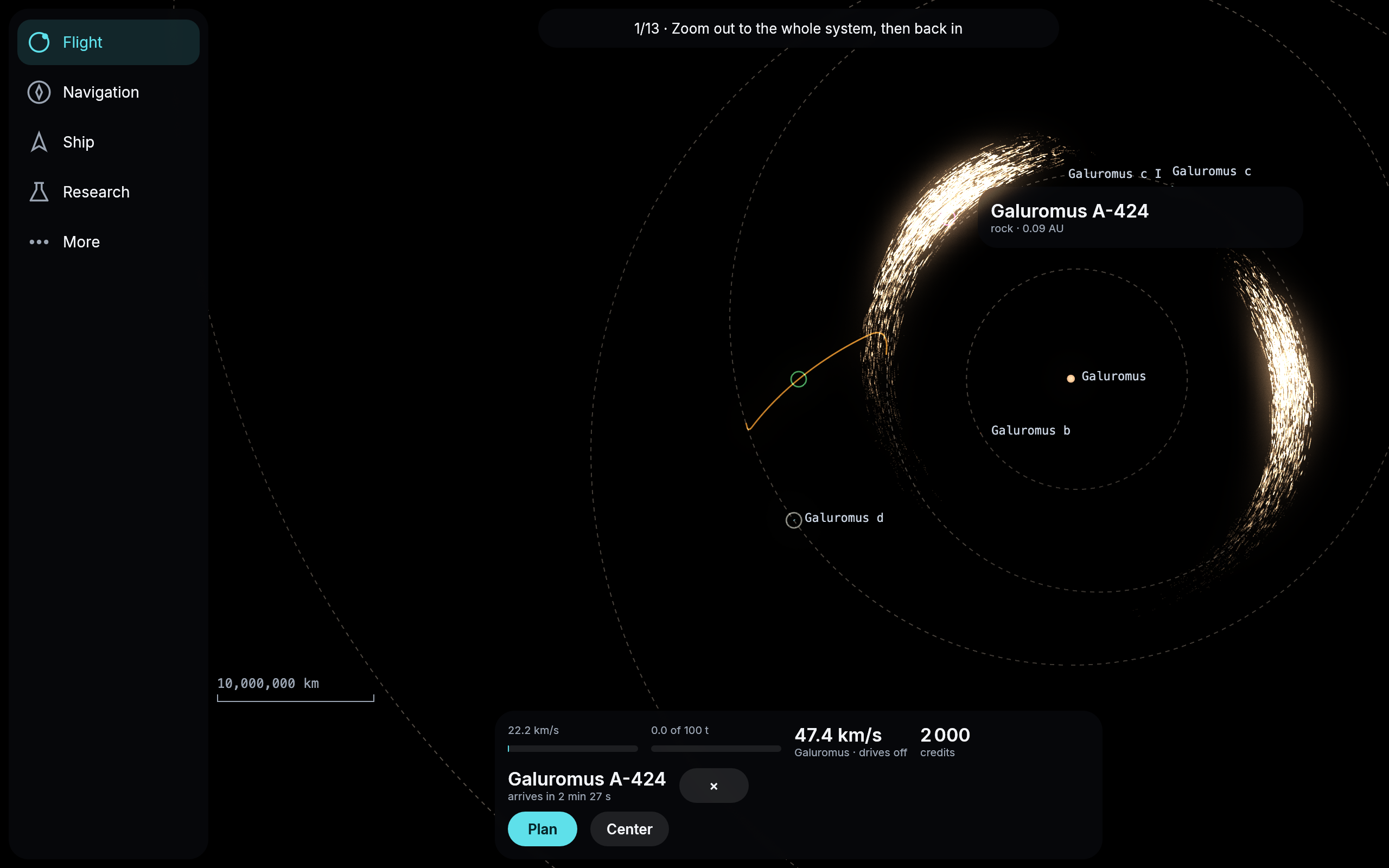
On the way to Galuromus A-424, the rock the tutorial named this hour, in the bright arc of one of Galuromus c’s clouds. The course runs from Galuromus d, lower left.
Stop a flight on the way
Since yesterday a flight that was still waiting for its moment to leave could be called off. Now that works on the way too. Press Cancel while the ship is flying and its drives go off where it is. It does not jump anywhere or turn round: it coasts on along the arc it was on, and every planet and moon it passes pulls on it, just as they would on a real ship whose engines stop. The card says coasting on its arc, and the course drawn ahead is where it is now drifting.
Whatever the flight had not burned yet goes back into your tank, and now to the last drop: until today a flight you changed on the way could give back a few hundred meters a second too little, because the game counted a burn as half done before it had begun. From there you can plan a new way whenever you like, to anywhere your tank reaches. Nobody should have to sit out a flight to the end just because they changed their mind. It needed the engine to fly a ship with no burn at all, which it learned last night.
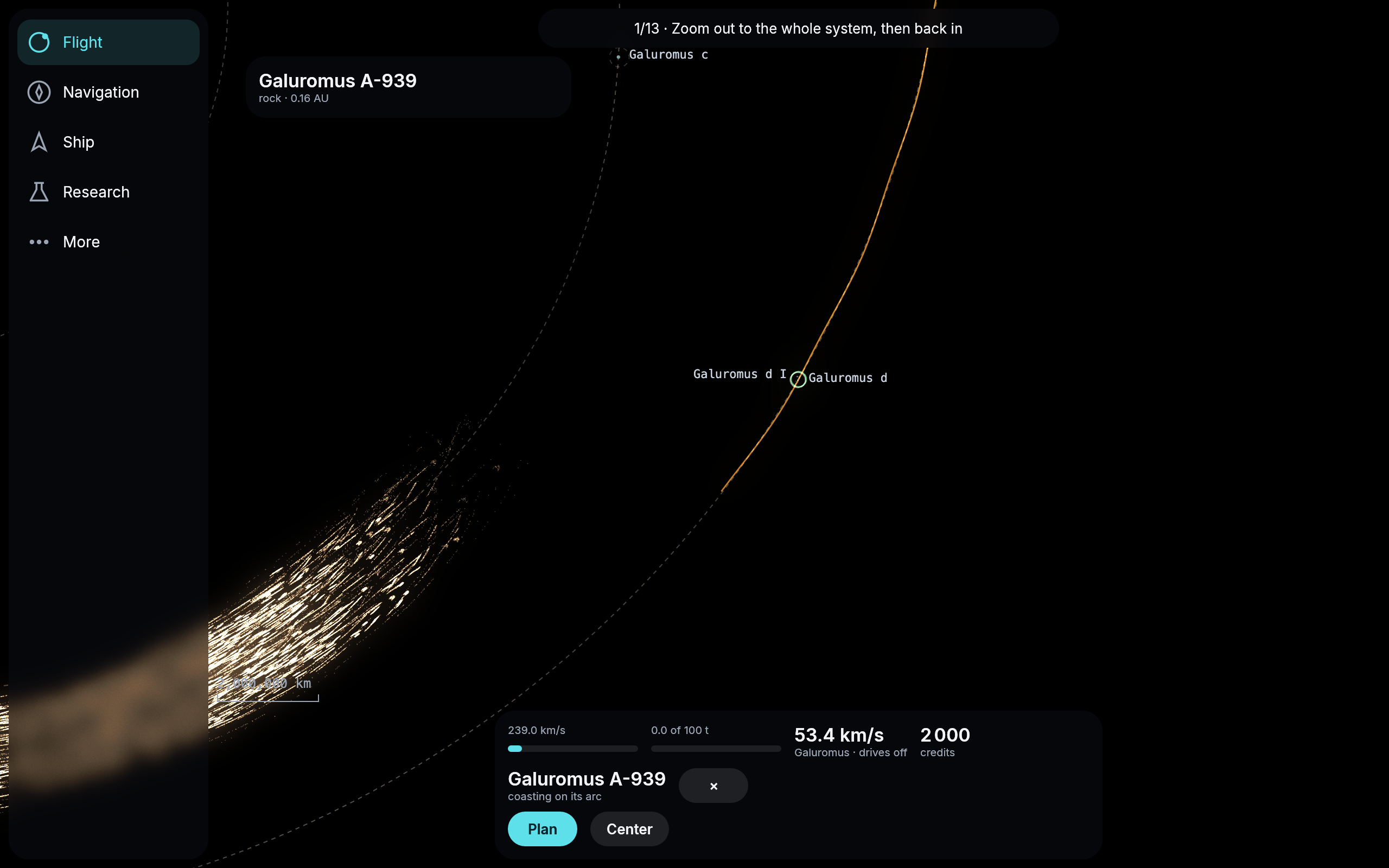
Called off a minute after leaving for the rock Galuromus A-939: the ship coasts on past Galuromus d, and the propellant the flight had not burned is back in the tank.
A cheap way home from the cloud ahead of Galuromus c
If you asked for the cheapest way home from a rock in the cloud ahead of Galuromus c, the ship’s computer often offered a straight burn across the system for almost 300 km/s, far more than any tank holds. At some hours it found no way back to the station at all.
It had set aside every slower curve home before trying it, because the last braking into orbit around Galuromus d looked too long for your drive. Now it keeps those curves and flies them when nothing else gets you home in time. The cheapest way home within the hour is a long swing around the sun for about 14 km/s, and it is there at the hours where there was none.
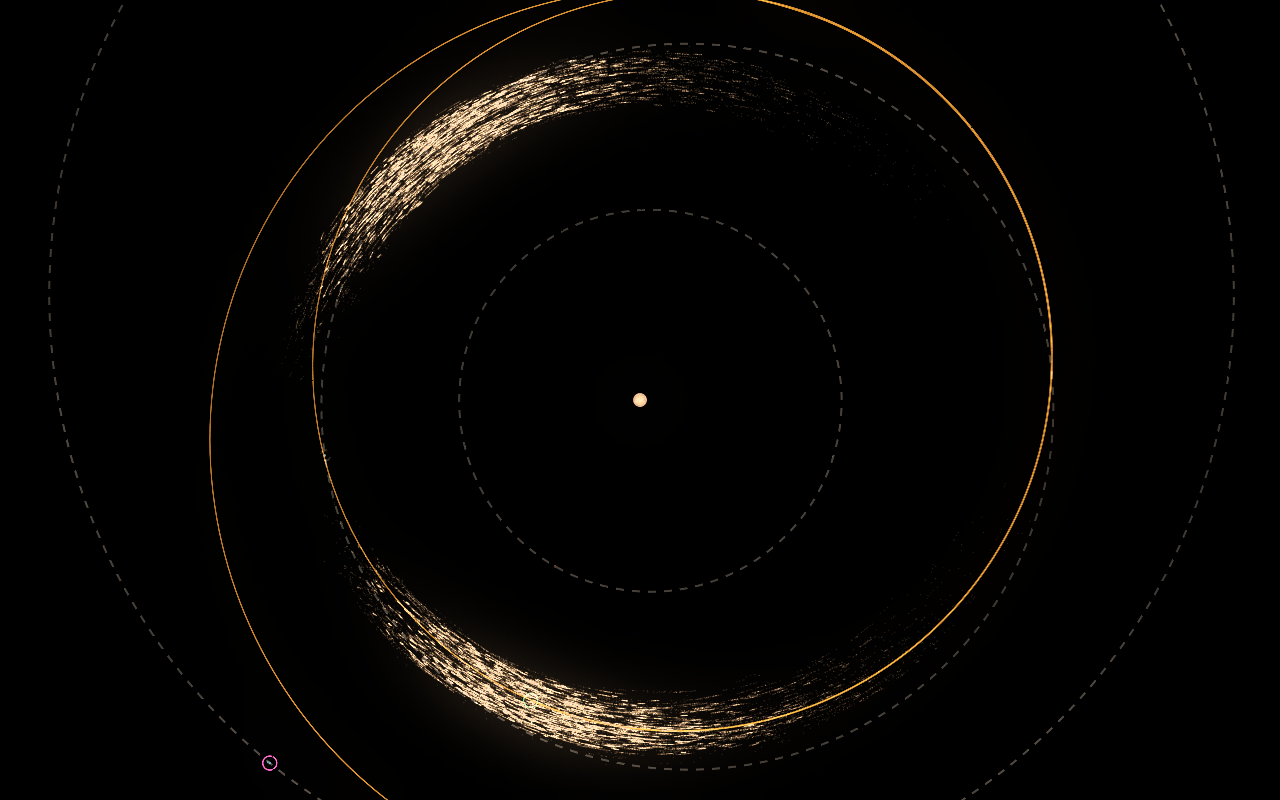
The cheapest way home from a rock in the cloud ahead of Galuromus c, within an hour of play. It costs 14.3 km/s, takes 55 minutes and swings once around the sun before it meets the station at Galuromus d, the pink ring at the lower left.
A cheaper way out to the cloud behind Galuromus c
The cheapest way from the station at Galuromus d to a rock in the cloud that trails Galuromus c cost about 21 km/s and 38 minutes of play, far more than the trip is worth. On a long swing around the sun the ship’s computer corrects the course on the way, but on these swings it stopped after the first correction. A day out, the ship is still flying away from where the rock is now, and the computer took that for a ship that had already passed the rock. So the ship missed it by hundreds of thousands to millions of kilometers and had to chase it down at the end.
Now the corrections go on until the ship is really close, and it meets the rock within a few meters. The same trip costs 12.8 km/s and takes 32 minutes, and the computer finds it sooner, since it no longer has to work out a chase.
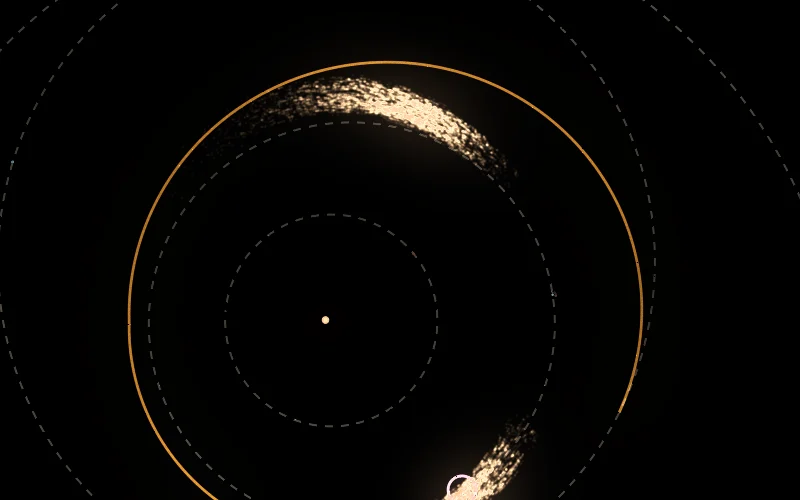
Before. The cheapest way to a rock of the cloud behind Galuromus c, for 21.3 km/s. The course passes the cloud where it should have met the rock and runs on almost once around the sun, chasing it to the pink ring at the bottom.
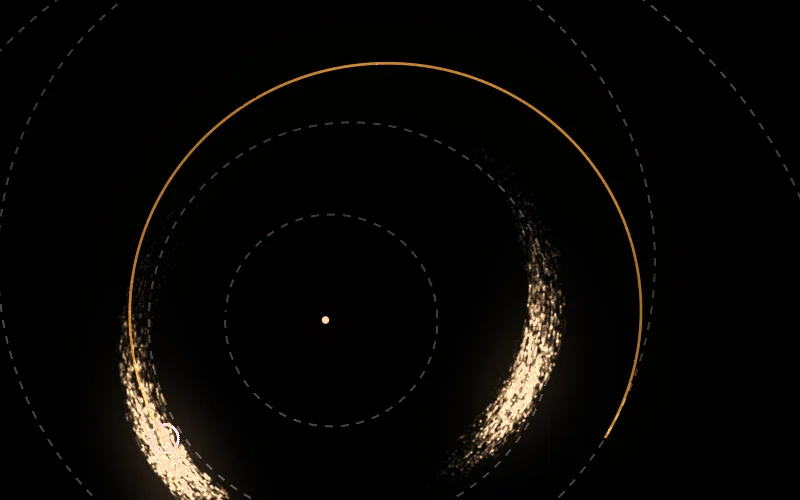
Now. The same trip for 12.8 km/s, ending at the rock in the cloud on the lower left.
Icons of their own, and the stations by their names
Under More, the Log row now has an icon of its own, a list with a small clock, and the Guide row a question mark. Until now they borrowed a tick and the compass of Navigation, which said nothing about what they open.
The system map in Navigation names the stations in full again, Galuromus d Station and Galuromus e Station. They were cut down to “Station” because the long names ran over the planets’ letters; the map now places every name where it covers nothing else.
The speed on the card is now measured against whichever body’s pull your ship is in at that moment. On the way home from Galuromus d’s moon it reads against the moon at first, and switches to Galuromus d as soon as the ship is in the planet’s grip rather than the moon’s.
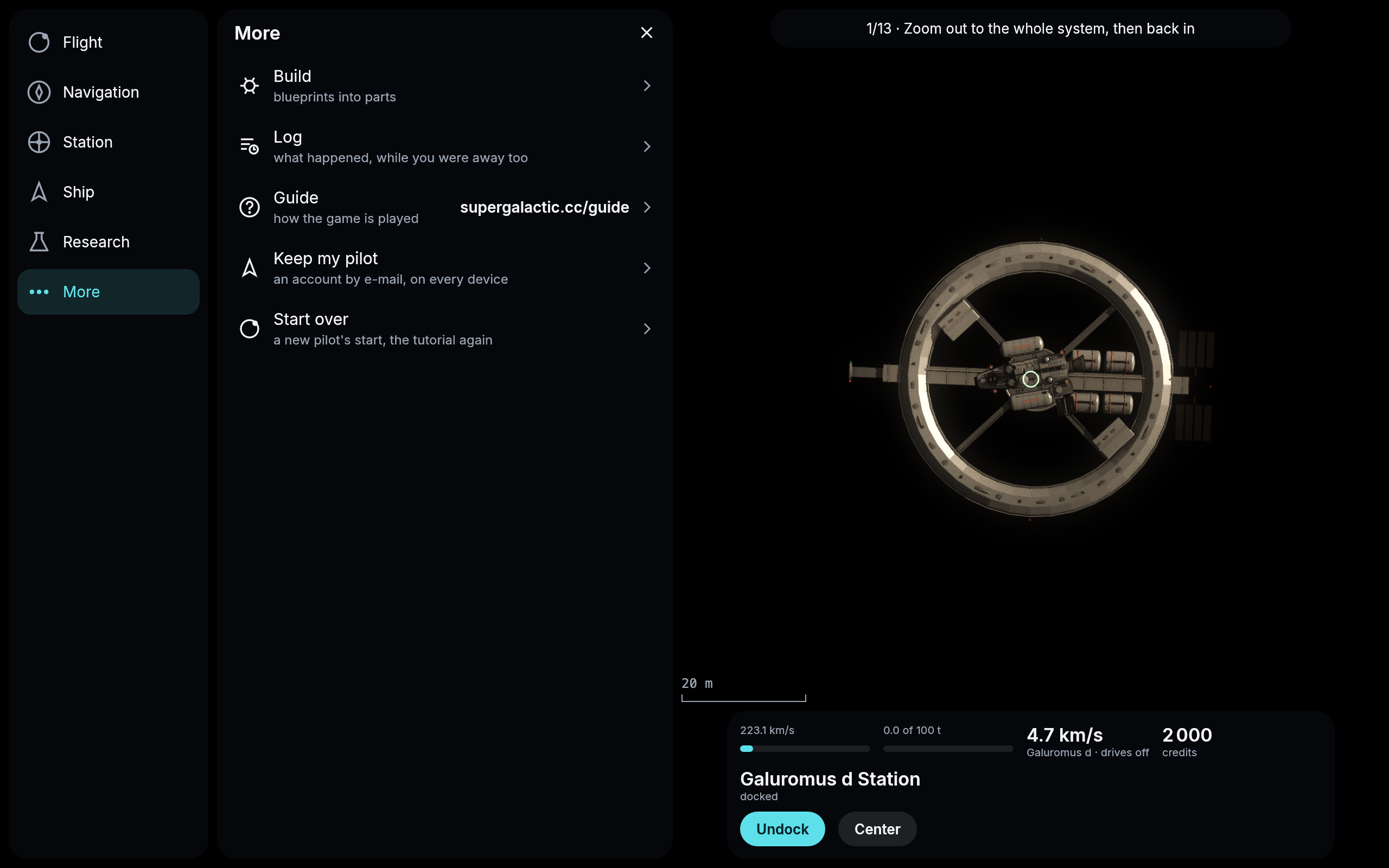
More, with the new icons for the Log and the Guide.
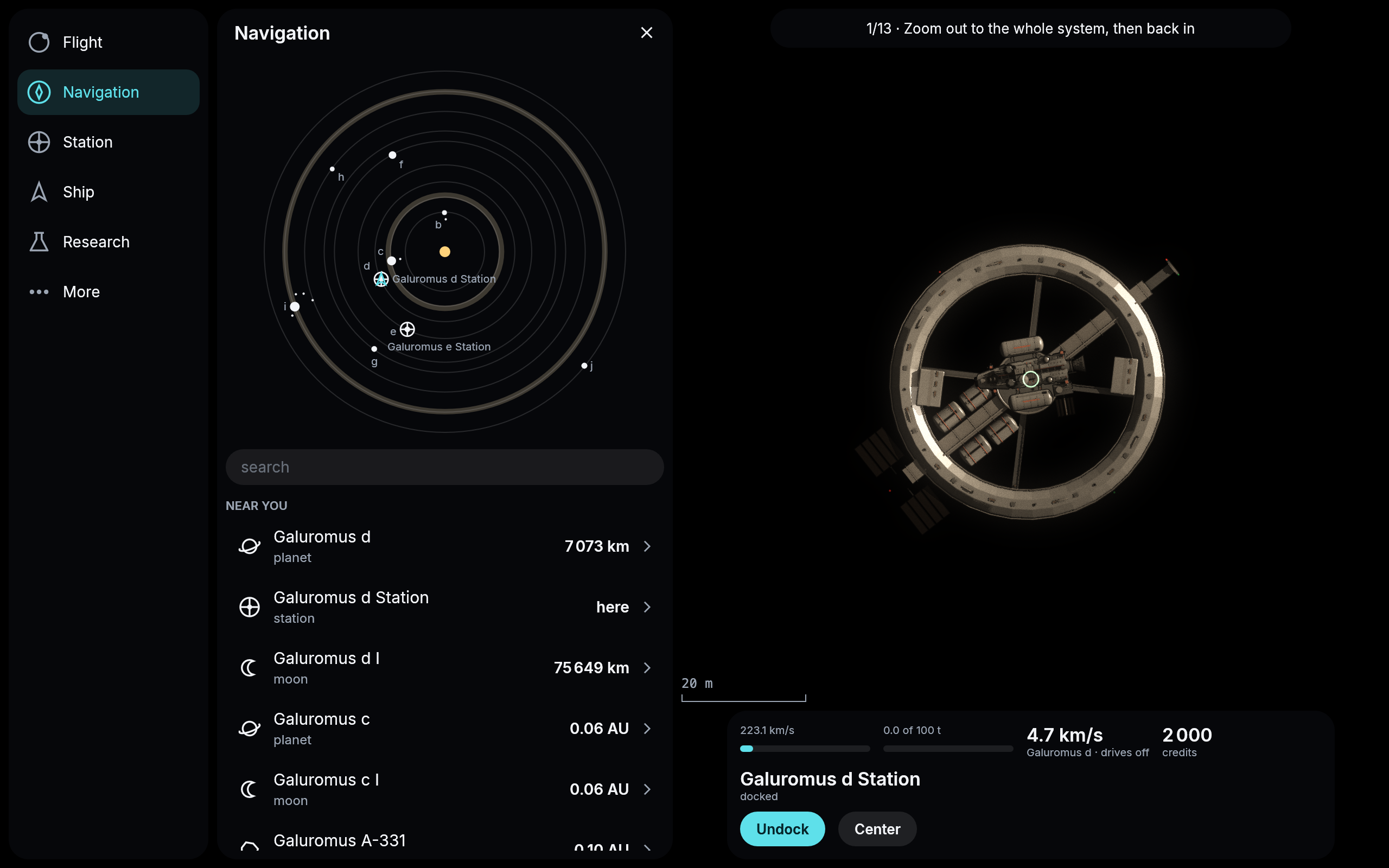
The system map, with both stations named in full.
The mining laser lights up
Every ship carries a mining laser at its bow. Until today its lens was just dark glass, whether the ship was mining or not. Now the lens glows red while your ship mines a rock, and goes dark again when it stops.
And now the beam is there too: a thin red line from the ship to the rock, as long as the ship mines. It ends on the rock’s surface, at the spot it strikes, and the rocks are not round: a rock turns slowly with all its lumps and hollows, and the beam follows the surface as it turns, reaching into a hollow or stopping short on a lump. Out in space a real laser’s beam would be invisible, with nothing in its way to light up; it is drawn here so you can see what your ship is doing.
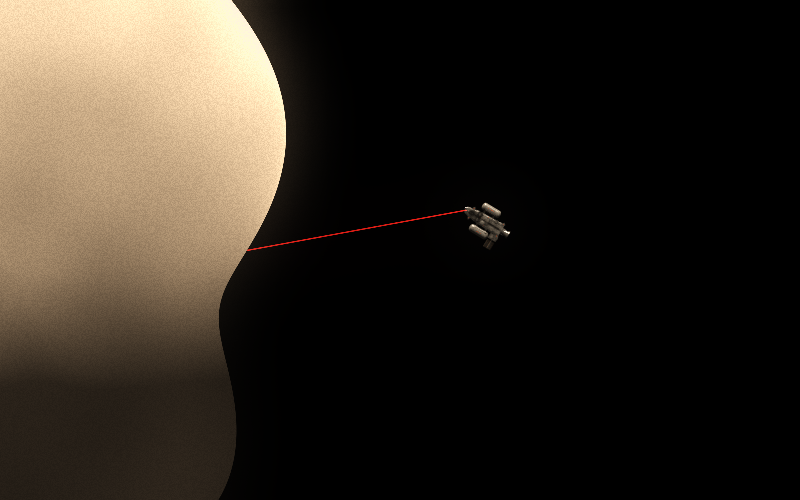
Mining a rock of Galuromus c’s Trojans: the beam ends where it meets the rock, in a hollow of its uneven edge.
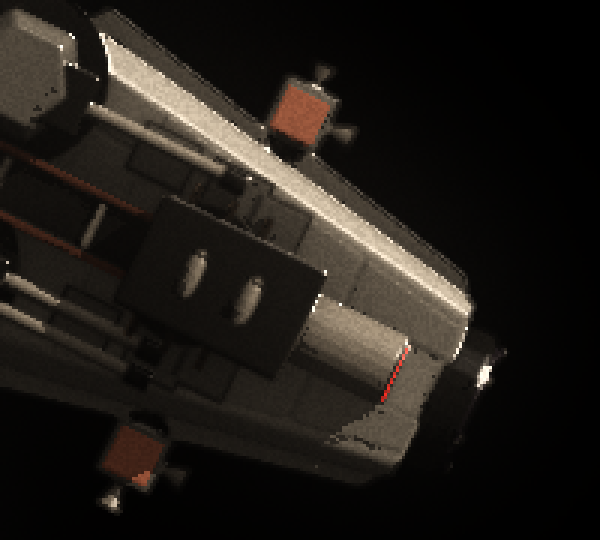
The bow of a ship mining Galuromus A-318, enlarged: the laser’s lens, seen edge on from above, glows red.
Your ship turns with the rock it mines
Every rock spins, once in two to twenty hours, which at the game’s pace is seven seconds to a little over a minute. A ship parked beside a rock used to stand still while the rock turned underneath it, so a mining laser would have swept across the ground instead of digging into one spot.
Now a ship that arrives at a rock stops over a point of its surface and stays over that point as the rock turns. It goes round with the rock at the same distance, and the bow turns along with it. The last few meters of the approach end with a small burn that matches the speed of the ground below.
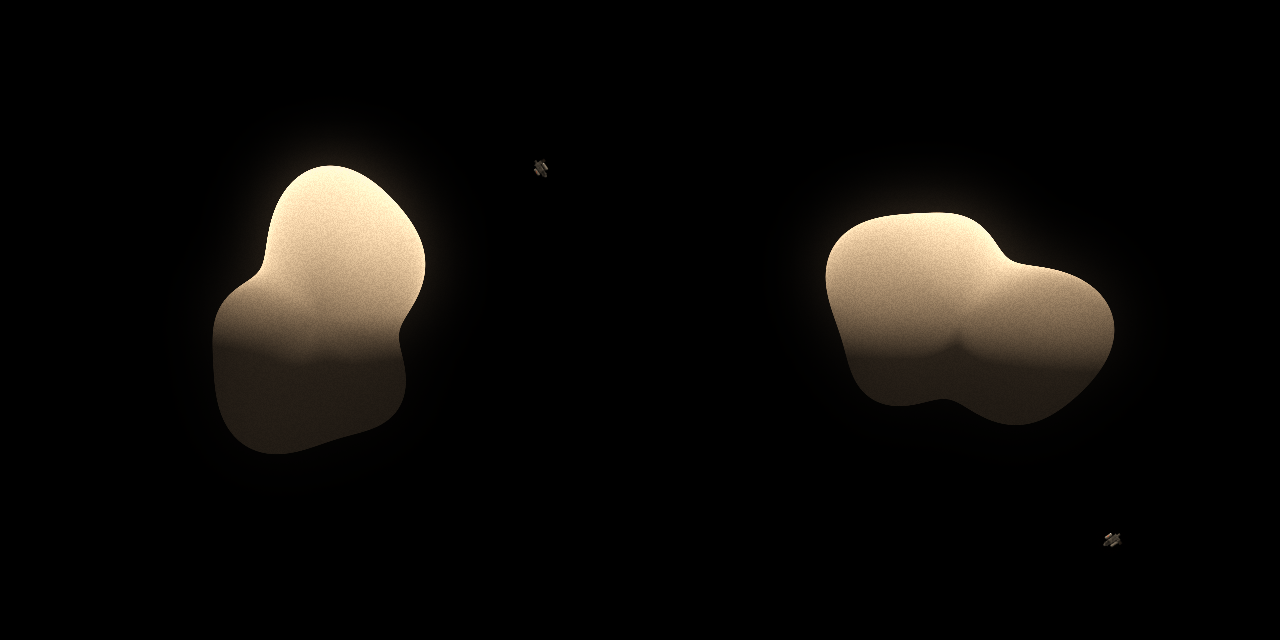
A ship parked over a rock of 105 meters, and the same ship a quarter of the rock’s turn later, about 14 seconds of play. The rock has turned clockwise, and the ship has come round with it.
The giant planets within reach
Galuromus c, f and i are giants, and until today Plan found no way to them at all. Your ship asked for an orbit 2 000 km above every planet, and a giant pulls so hard that close in, a drive that pushes with a tenth of a g cannot brake into orbit in one go. Now the ship asks for an orbit 50 000 km above a giant, which it can reach, and the card offers a way to each of them.
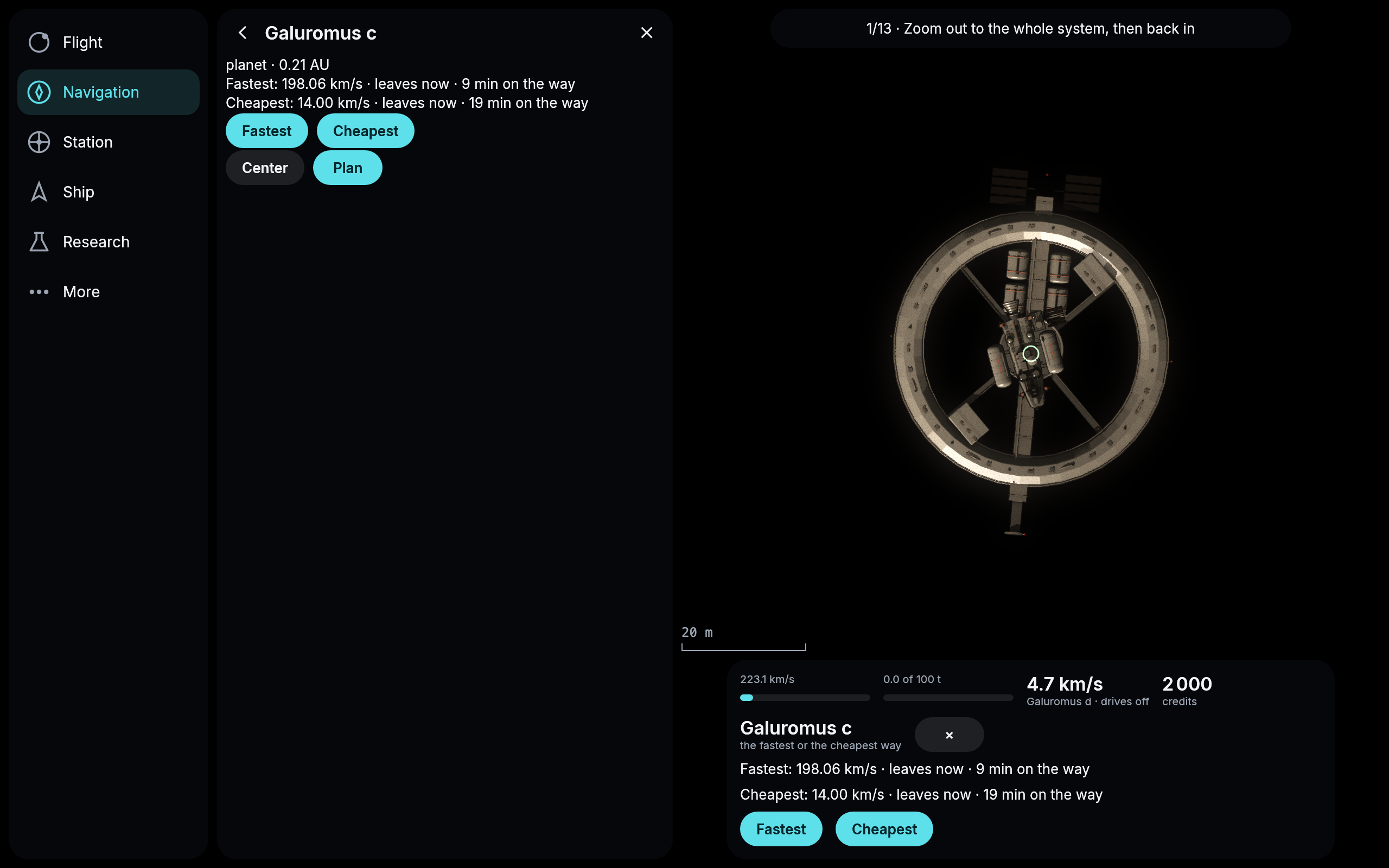
Two ways to the giant Galuromus c, from the station at Galuromus d.
The card knows when you are there
Fly to a rock and keep it as your goal, and until today the card went on asking you to plan the way there, though your ship was already beside it. Now it says where you are: beside it next to a rock, in orbit about it at a planet or moon, and no Plan button for a trip you have already made. Press Mine and the line turns to mining it, and the Mine button goes away until the mining is done, instead of waiting there for a second press that does nothing.
One more fix from the same trip: press Fly it on the fastest way while the cheapest is still being worked out, and the cheapest used to turn up on the card a few seconds later, after your ship had already left, as if you could still take it. It no longer does: once you fly, the other way is dropped.
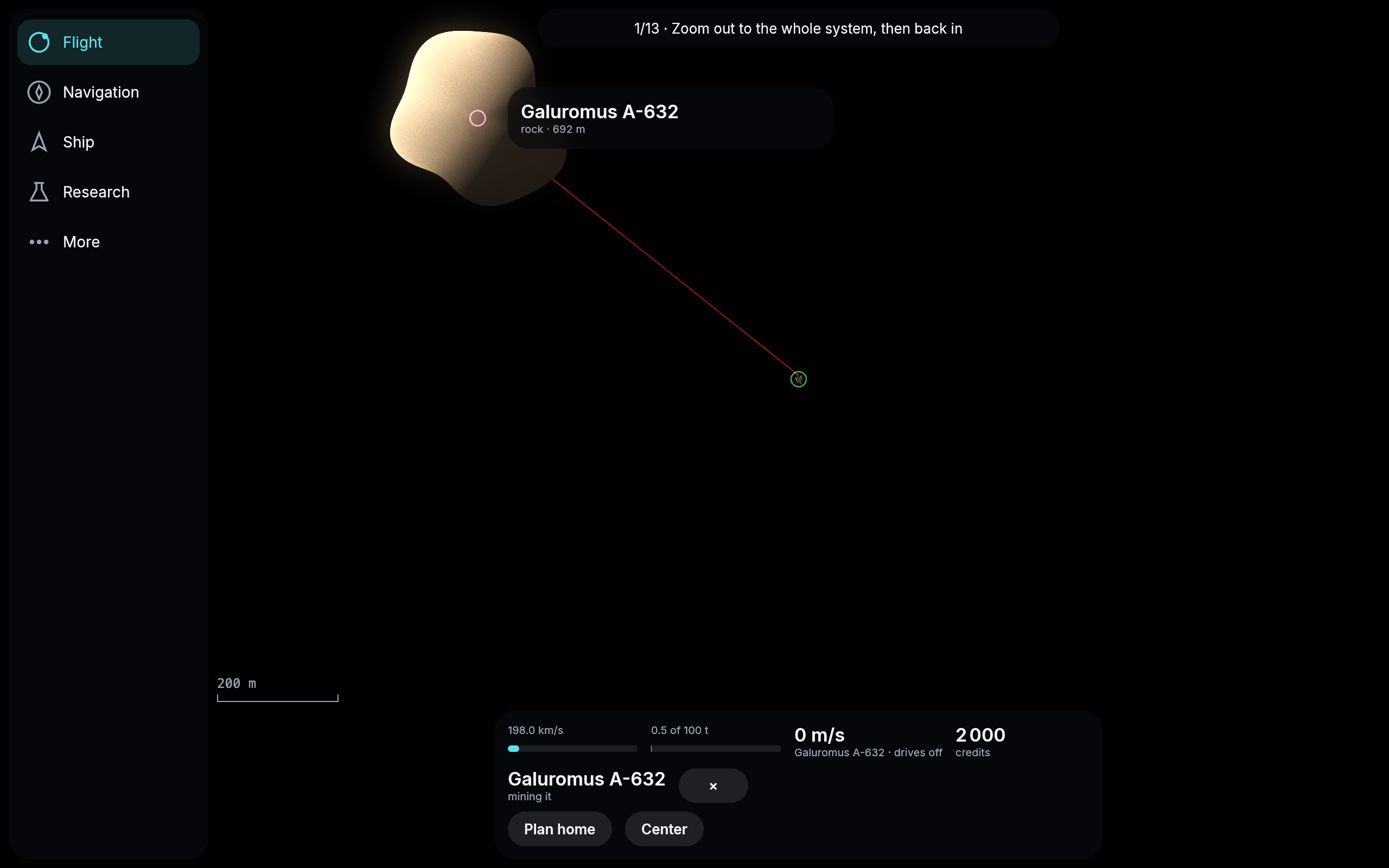
Beside Galuromus A-632 and mining it: the card says so, and offers the way home instead.
Parts named after the research that gives them
The parts used to be numbered one step ahead of the research that unlocks them: researching Drives I gave you Fusion drive II, Mining I gave you mining head II, and a pilot reading the research tree had to keep adding one. Now the numbers match. The parts your ship starts with carry no number at all, just Hold, Tank, Mining head, Extractor and Fusion drive, and every better part carries the number of its research: Drives I gives Fusion drive I, Mining II gives Mining head II. Hull classes keep their own numbers, so the start hull is still class I and Construction I still gives class II. Entries in your log about parts you built before today use the new names too.
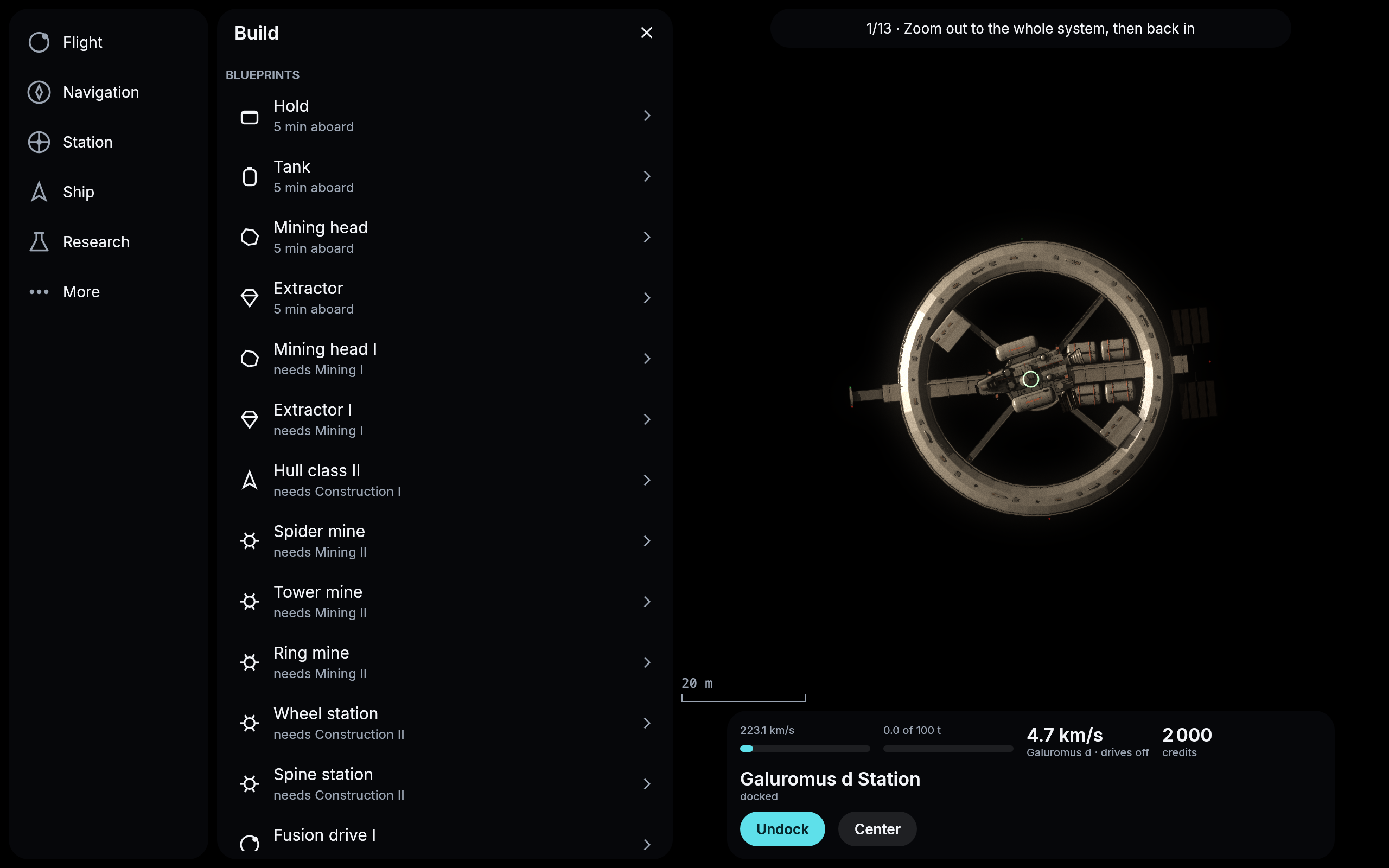
The yard’s blueprints under the new names: the start parts with no number, Mining head I from Mining I.
A warning before a cancel that would crash
Cancel a flight on the way and your ship coasts on along its arc. If that arc happens to run into a planet or a moon, the ship used to simply fall onto it. Now the card warns you first: it names the body the ship would come down on and cancels nothing. Press Cancel again within a minute and the flight is cancelled anyway; otherwise it flies on as planned.
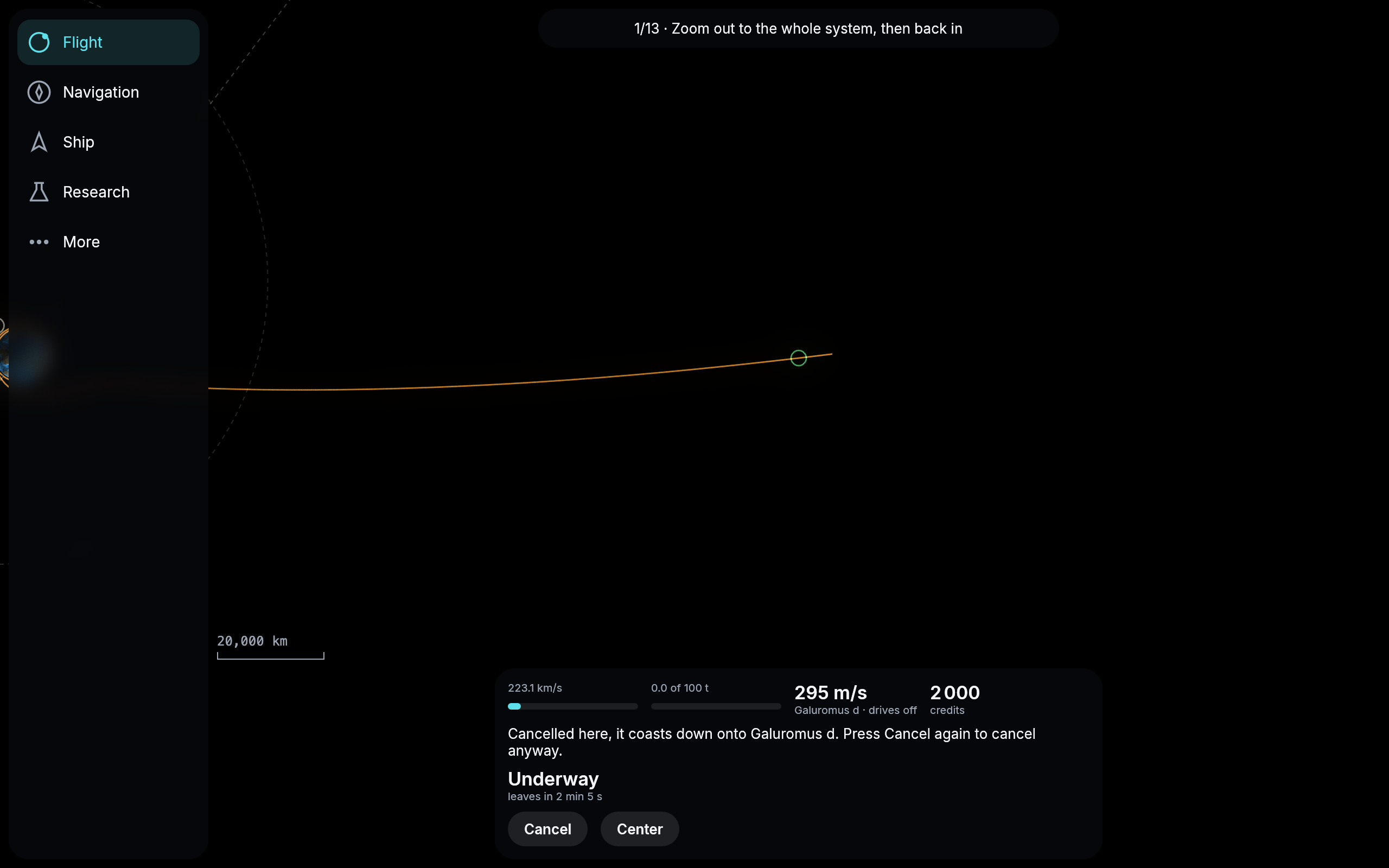
A ship falling toward Galuromus d that brakes into orbit only at the end: cancelled before that burn, it would hit the planet, and the card says so.
The laser stays in front of the ship
A ship parked beside a rock goes round with it as the rock spins, but until now it kept facing the same way the whole time, so as the rock turned beneath it the mining beam swung round the ship and at times cut straight through its own hull. A real mining laser can only swivel a little within its mount, so the ship has to turn instead. Now it does: beside a rock your ship keeps its nose, where the laser sits, pointed at the spot it mines, and turns with the rock to keep it there. The beam always leaves the front of the ship.
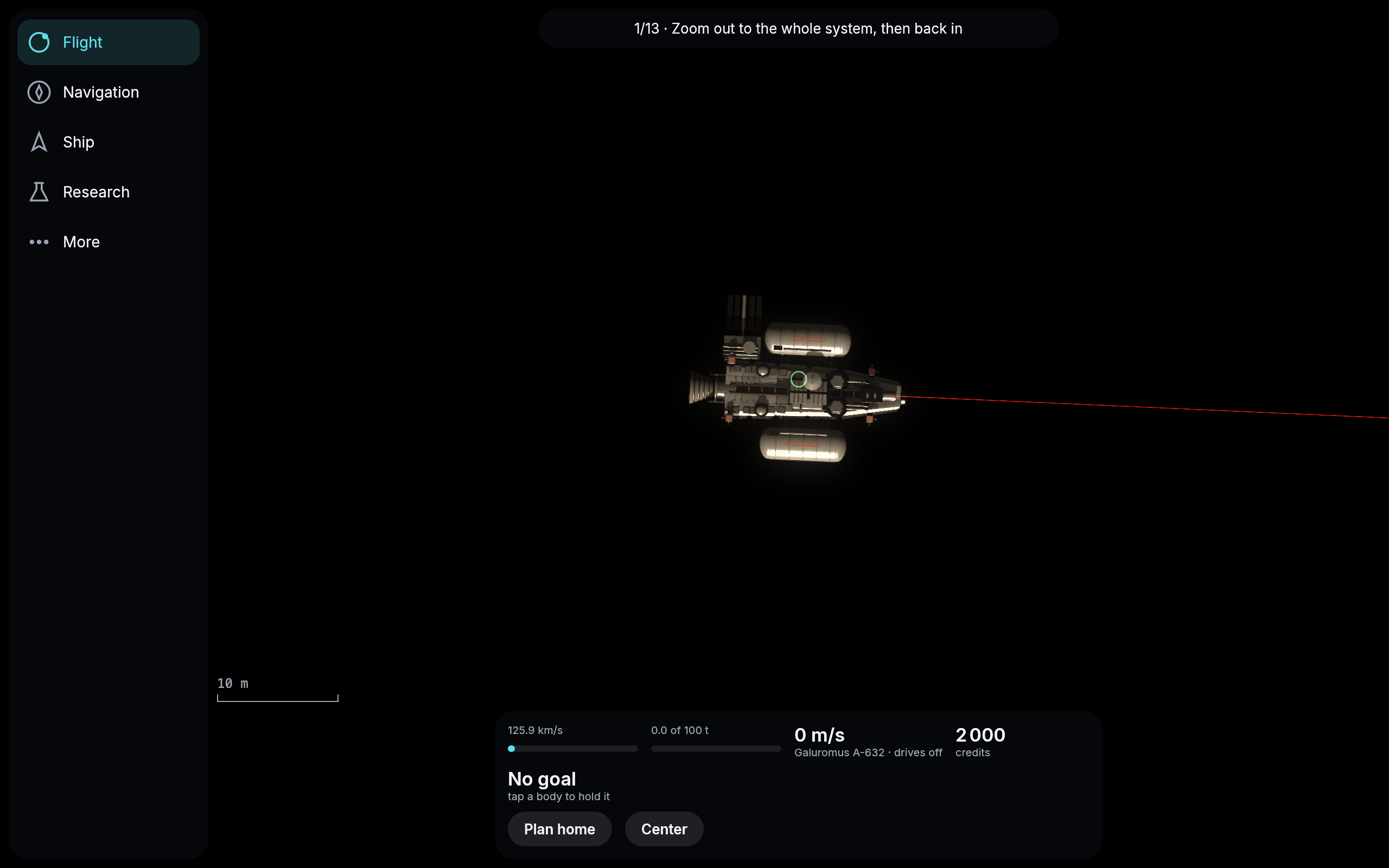
Mining Galuromus A-632: the ship faces the spot under it, and the beam leaves its nose.
Research and the yard say what you are missing
Research and the yard used to tell you only that you could not afford something: “The hold and the vault do not hold enough.” Now every page where you spend something shows your credits, the free room in your hold and your Δv at the top, so you do not have to close it to look. Each cost says how much of it you already have and how much is short, and the page tells you where to get the rest. A blueprint that needs research first takes you to that research with one press, and a research shows the blueprints it unlocks. The yard is called the yard everywhere now, and its back arrow takes you back to the station.
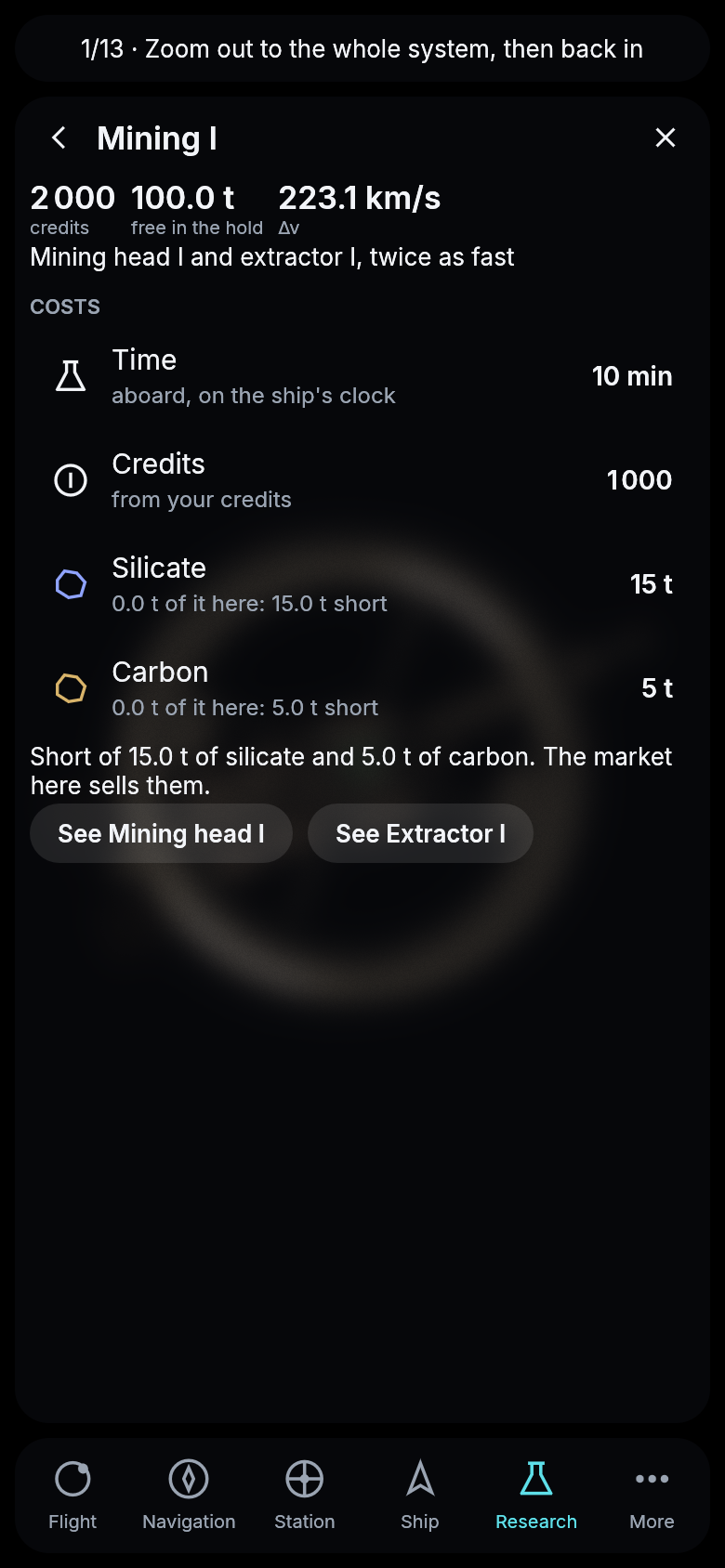
Mining I on a phone: what you have, what is short, and where it goes.
Buy and sell exactly what you need
The market used to know only “everything”: sell the whole hold, or buy as much of a material as fits, which on a fresh start could spend all your credits in one tap. Now each material has a page of its own. Type the tonnes you want and the buttons say exactly what happens: “Buy 10 t: 500 cr”, and what your Δv will be afterwards, since cargo makes the ship heavier. Buy all and Sell all are still there. On a research page, docked at a station, Buy what is missing fetches the materials a research lacks in one press. Mining I now costs 500 credits instead of 1 000, so a new pilot can afford it from the start, materials and all. And in the tutorial Drives I is your first research paid for: 500 credits, or free if you have less.
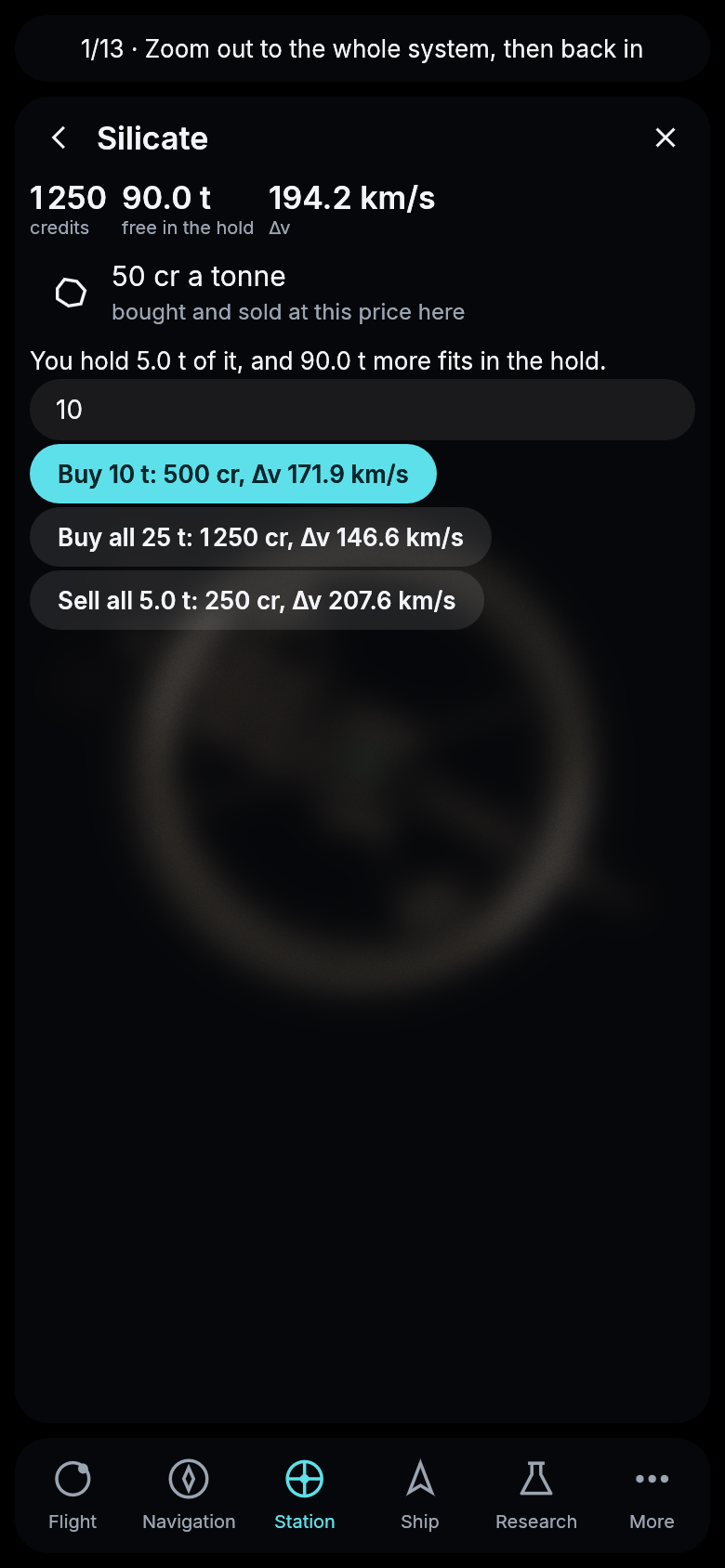
Silicate at Galuromus d’s market: every button says what it costs and what it leaves of your Δv.
Docked means inside
Every pilot starts docked at the same station, and every docked ship used to be drawn on top of it, hovering over its hub. With many pilots that would have been a pile of ships stacked on one spot. Now a docked ship is inside its station: you see the station, and a ship appears again when it undocks.
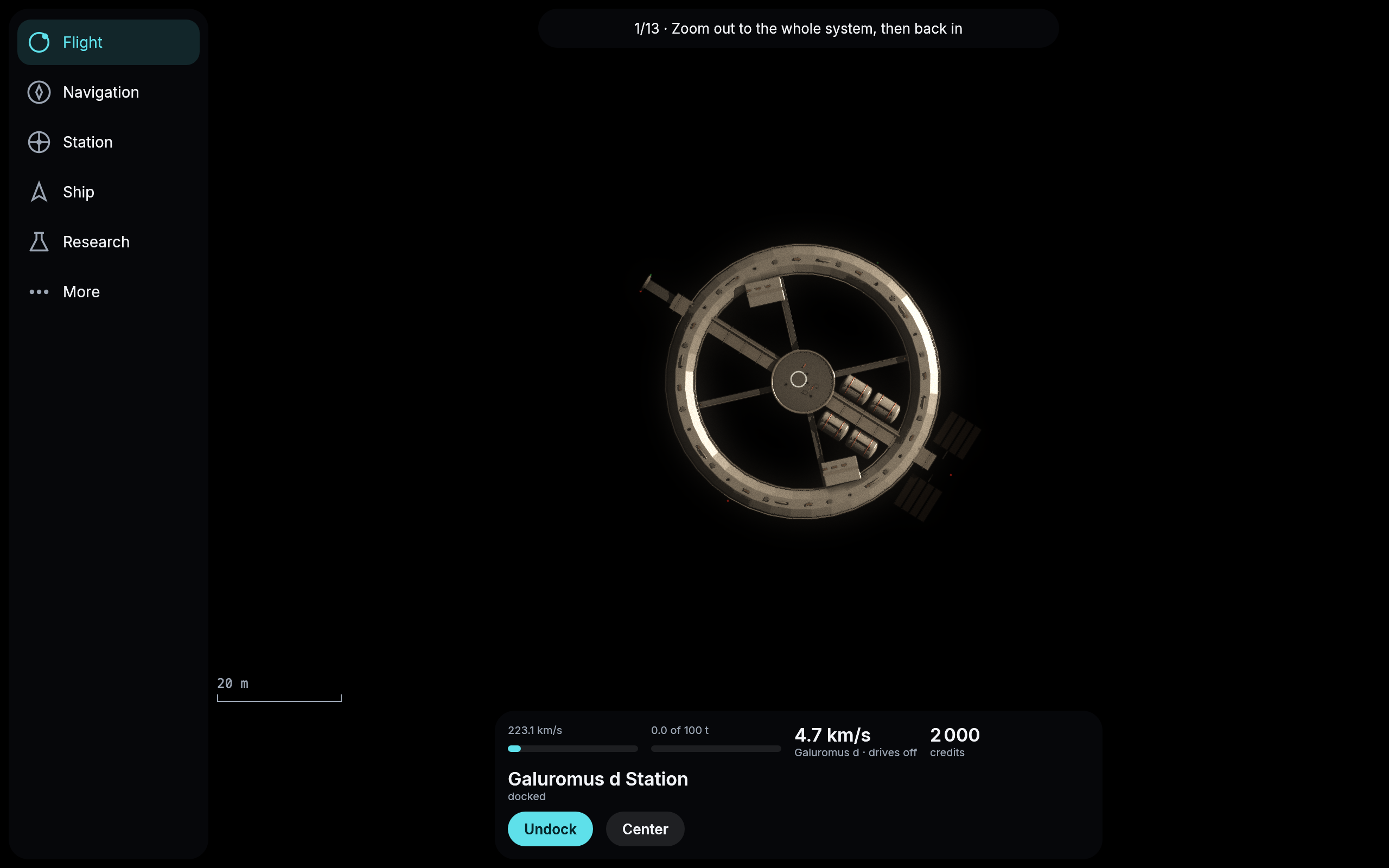
Docked at Galuromus d’s station: the ship is inside.
The yard sorts itself, and no button stays silent
The yard now groups its blueprints: what you can build right now, what you are short of materials for, with exactly how many tonnes are missing, and what needs research first. In the research tree a locked research says what it comes after. And a button the server turns down always says why now: the hold is empty, the vault is full and how much room it has left, the new part would leave the hold too small for its cargo, another research is still running, a price at your own station over the most a tonne may cost. Before, many of those presses simply did nothing.
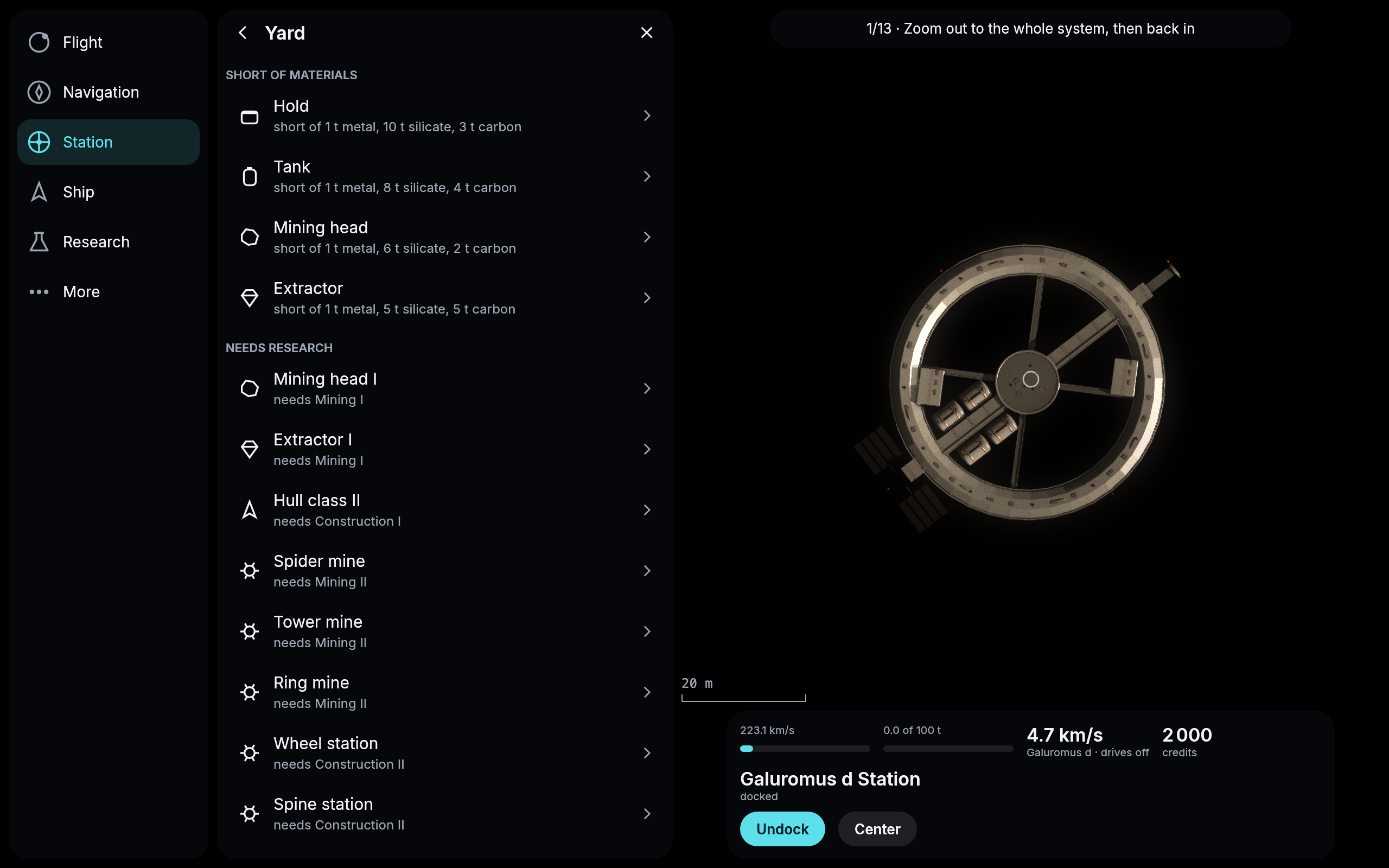
The yard at the start: nothing can be built yet, and each blueprint says what is missing.
Research on a phone
On a phone the research tree ran off the right edge of the screen, and half of it could only be reached by dragging. Now a phone shows the same research as a list, one branch under the other: Vault, Construction, Drives, Mining and Navigation, each research with its time and price, or what it comes after. A tap opens it as before. On a tablet or a computer the tree stays.
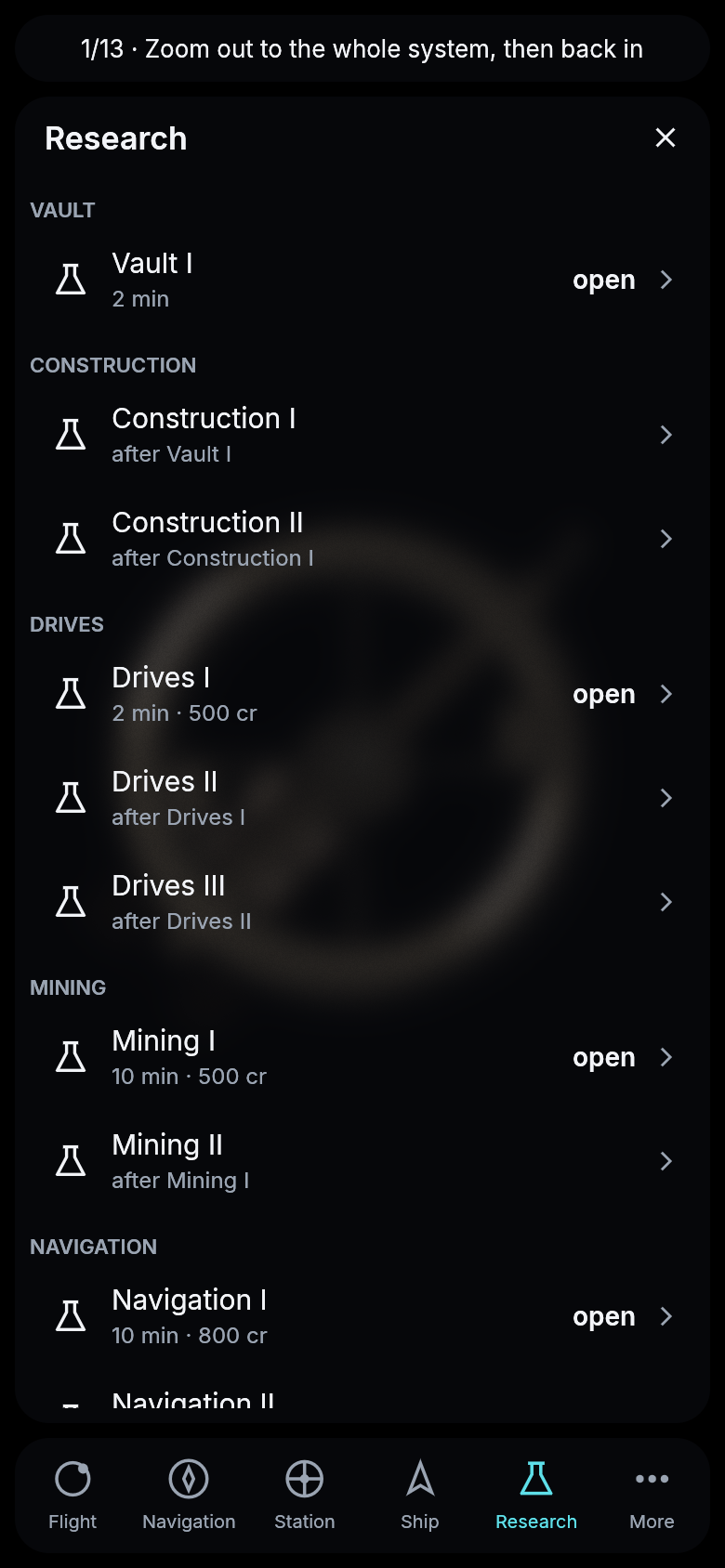
The research on a phone, a branch at a time.
The start system has names
Every pilot starts in the same system, and until now its bodies carried the names the generator gives every star in the universe: Galuromus, and its planets Galuromus b to j. Now the start system has names chosen by hand. The star is Velara. The home planet, where every pilot starts, is Maren, with its moon Lunet. Inside it goes Aquilon, whose two clouds of rocks the tutorial sends you to mine, and outside it the ocean world Pelagia. Further out are Caligo, Glacia, Umbra, Solenne with its four moons and Hiberna. The stations are Maren Station and Pelagia Station. The map, the cockpit and the server all use the same names, and a rock with no name of its own is named after its star: Velara A-632.
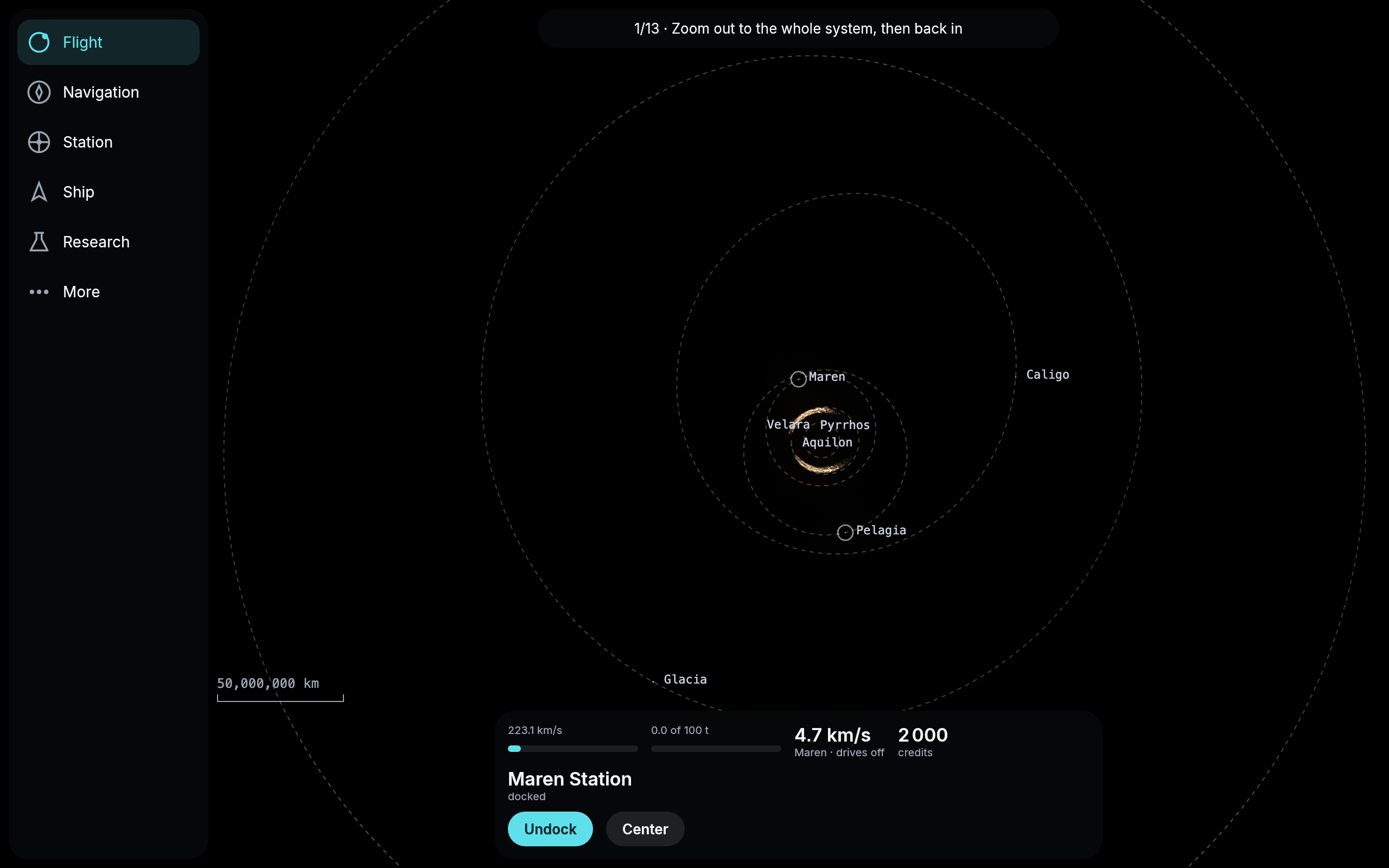
The start system on the map, by its new names.
Your ship turns before it burns
Yesterday the ships got their steering jets; today they use them. Before every burn your ship now turns to face the way it is about to push: the jets at its bow and stern puff white to start the turn and again to stop it, and only once the ship points the right way do its drives light. A heavy ship turns more slowly; the start ship takes about a minute and a half to turn right around when it is light. Every course the ship’s computer offers is now planned with the ship itself, so the turns are part of the plan and their time is counted in it.
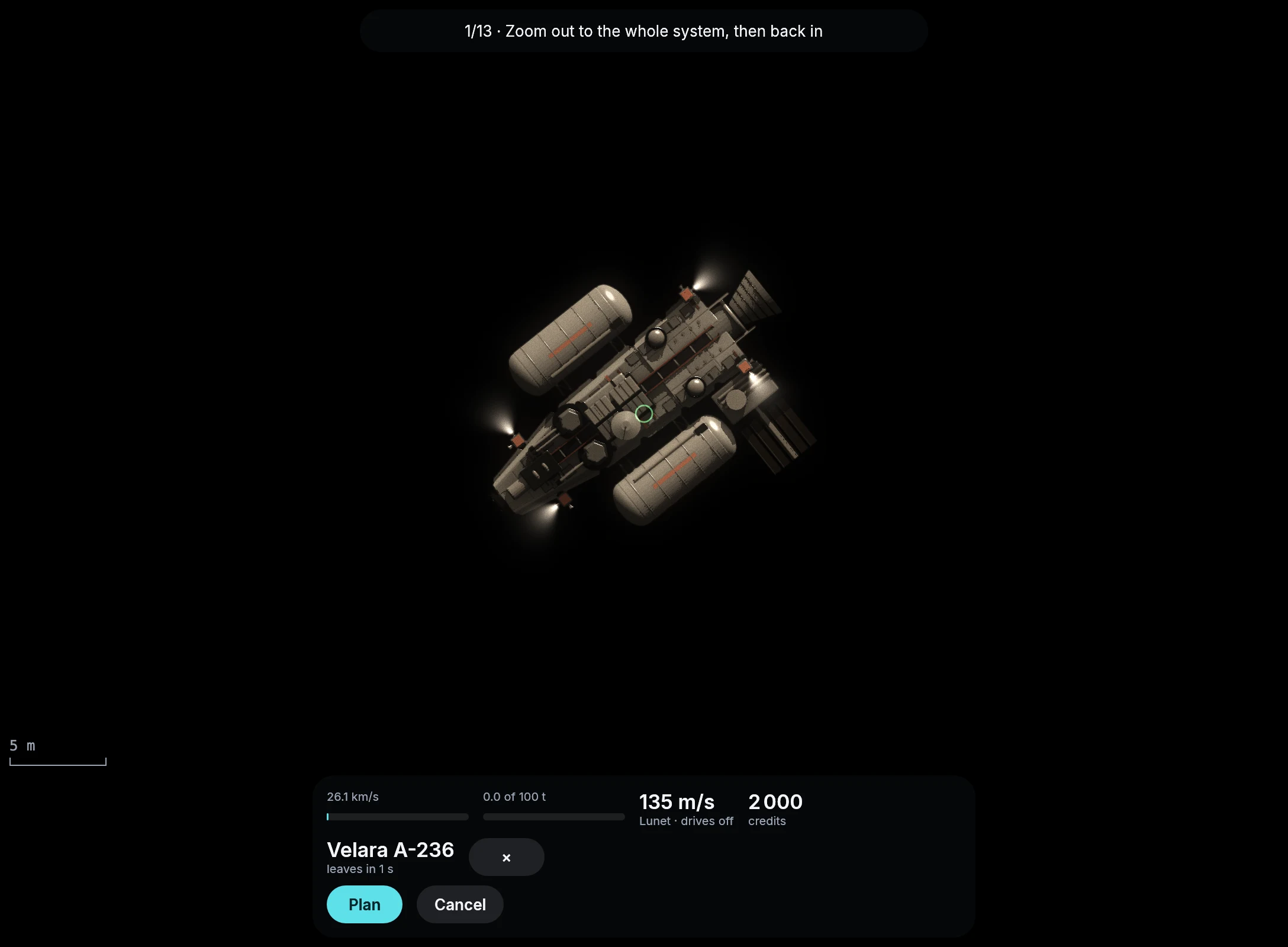
A second before it leaves for the rock Velara A-236, the start ship turns on its jets.
A far goal’s card stays whole
On a computer, the goal you hold has its card on the map beside it, with its name and how far it is. With the view close on your ship and the goal far away, that card used to end up squeezed against the edge of the screen, a few pixels wide, its name running down the edge one letter at a time. Now the card stands whole at the edge of the map nearest the goal, so it still tells you what the goal is, how far it is and which way it lies. Along the bottom it keeps above the scale bar and the clock, where it first came to rest on top of them.
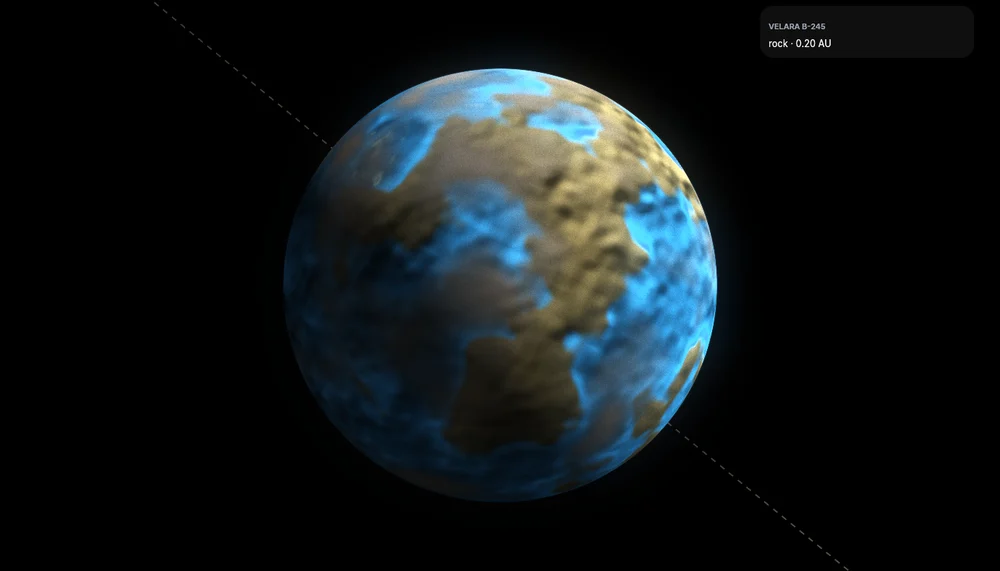
A rock 0.20 AU away held as the goal while the view is on Maren. Its card waits in the corner toward the rock.
Mining that goes on, and is mining
The tutorial asks you to start your first research, Vault I, while your ship is at the rock taking its sample. Starting it threw away everything the ship had mined and refilled there: the hold went back to empty, the ship flew home with nothing, and the next step, selling the sample, could not be done. A research or a build started aboard now counts what the ship has mined up to that moment, and the mining goes on.
And a ship that flew to a rock on its own said mining it, with its laser on the rock, while it mined nothing: its drive’s scoop was filling the tank, as it does everywhere, and that was taken for mining, so the Mine button never showed. Now only the mining head taking the rock’s cargo counts as mining. And the tutorial’s last step, whose line broke off mid-word, says it whole.
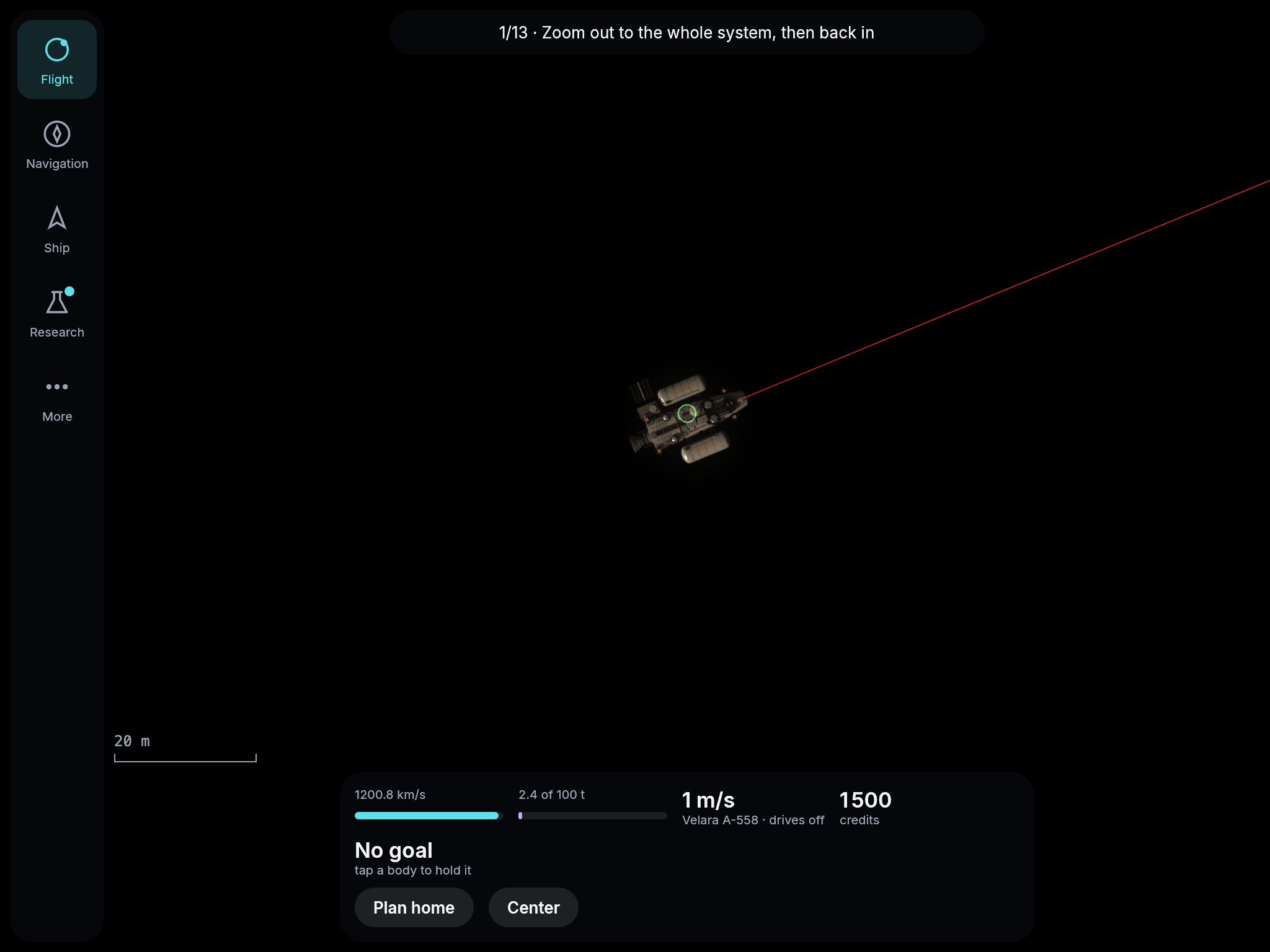
Drives I started at the rock: the hold keeps its 2.4 t, and the beam goes on mining.
The card says where you are flying
While your ship flew, the card named the goal you last held, not where the ship was going. Flying home from the moon it said “Lunet · arrives in 1 min”; in the tutorial it named one rock all the way while the ship flew to another, the one the server had picked as the quickest round, and once there it offered to fly on to the first. Now every offer and every flight carries where it goes: the card names the station on the way home and the rock the ship was really sent to, and flying to a rock makes it your goal.
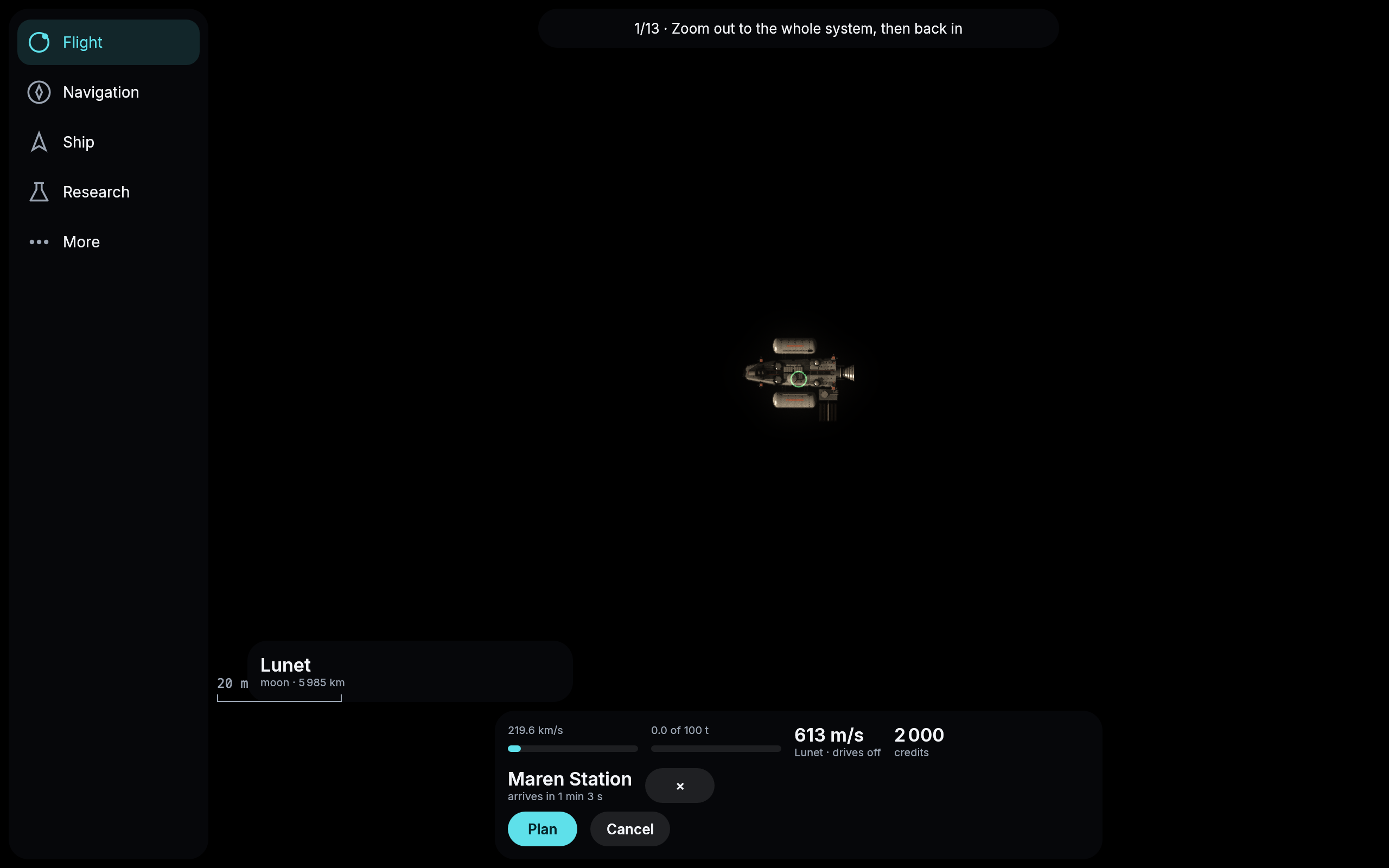
On the way home from Lunet, the card names Maren Station.
Your target and your destination
What you tap is now your target, and where your ship is flying is its destination. The two are no longer mixed up on the card. Docked, the card names the station you are at and puts your target on its own line below, with how far away it is and the × that drops it. While you fly, it names the destination and when you will arrive there, and your target below it if that is somewhere else.
The tutorial’s third step also teaches what it set out to teach. It used to move on the moment you asked for the way to the rock, before the answer was even there. Now it waits until you have seen what the way costs, says that this is what your tank pays, and asks you to tap the moon for the next step. The first step tells you how to zoom out, and counts once all the planets are in view. The tank’s bar now says Δv, so that it is not mistaken for your speed beside it. And on the way the card no longer offers to plan the flight you are on all over again; a new way you ask for says how much later or sooner it would arrive than the one you are flying.
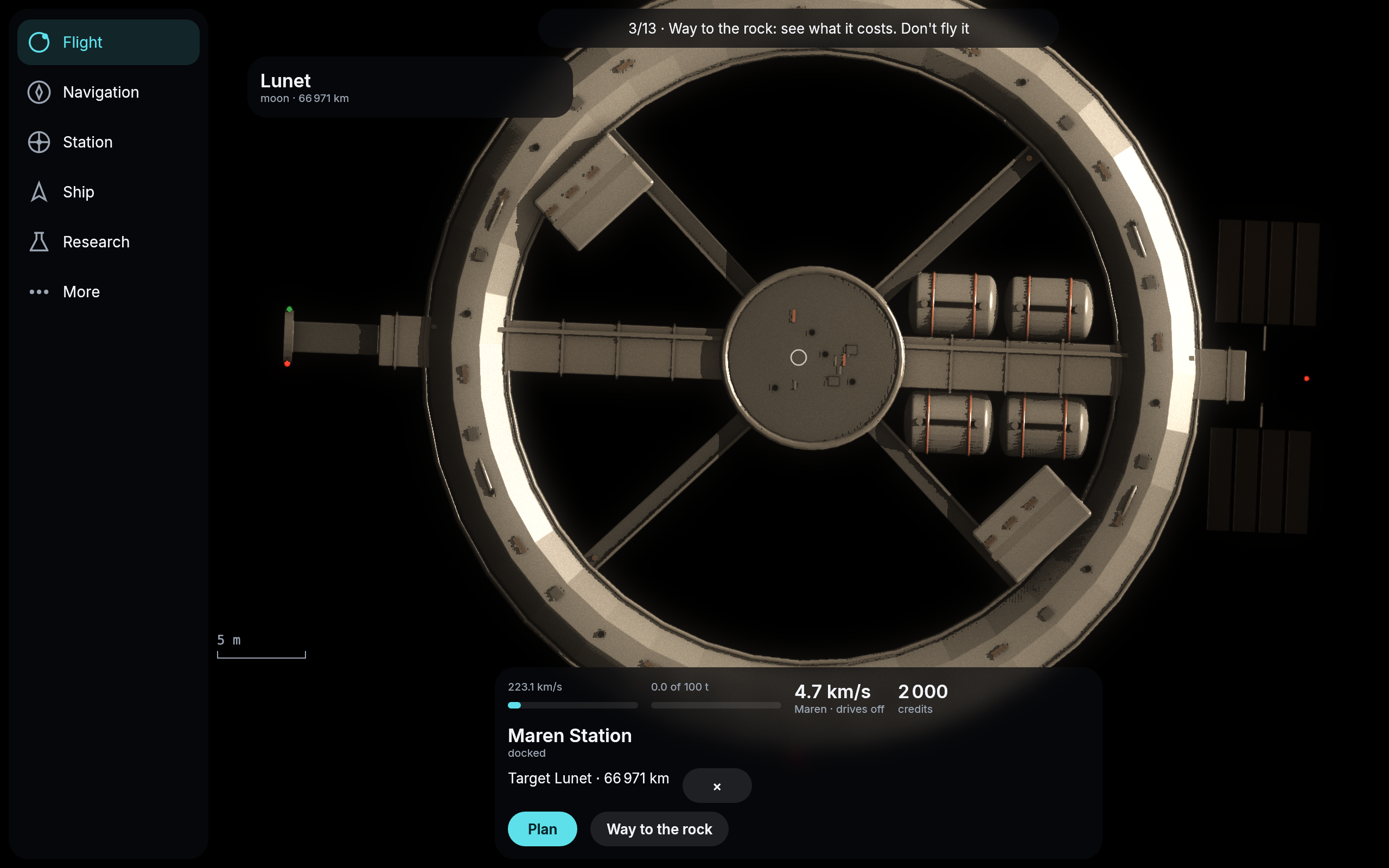
Docked at Maren Station with the moon Lunet as the target.
Navigation by planet
Navigation’s list used to be twenty-three rows sorted only by distance, so a moon could land before its own planet and the four belts trailed at the end. Now it reads like the system: the star Velara first, then each planet with its stations and moons right under it (“station of Maren”, “moon of Maren”), nearest planet first, and the belts and clouds under a heading of their own. The search still finds anything by name and lists it by distance.
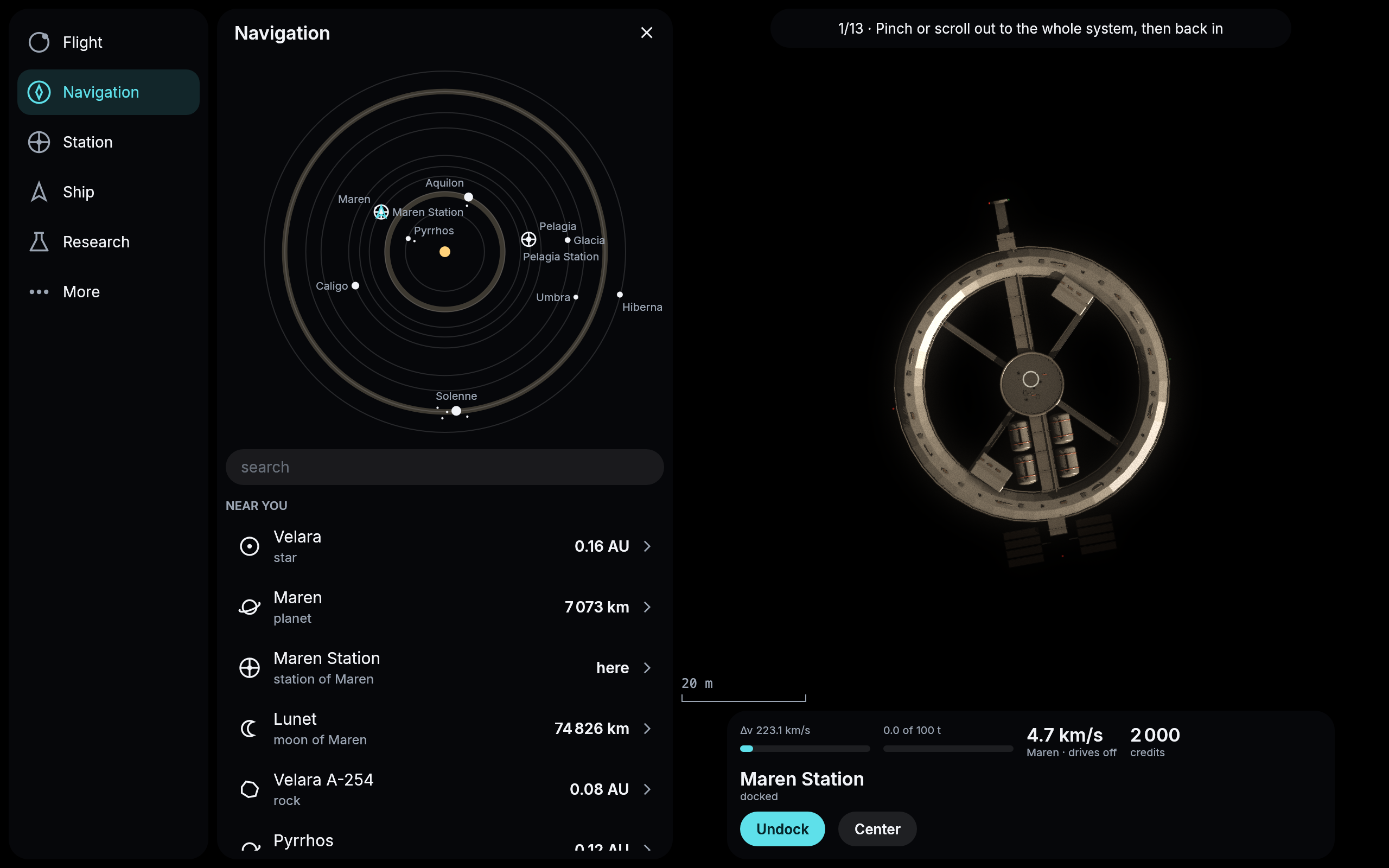
Navigation’s list, the star first and each planet with its own.
What each part gives
The Ship page listed your ship’s parts by name only. Now each says what it gives and what it weighs: the fusion drive its thrust and exhaust speed, the tank and the hold their tonnes, the mining head how many tonnes of rock it cuts a minute, the extractor how much propellant it makes. The hull stands above the slot count with how many slots it has, so that you can see what a better part would change before you research or build it. The log, under More, now also says where each flight you start left for, and calls a fill that cost you nothing free.
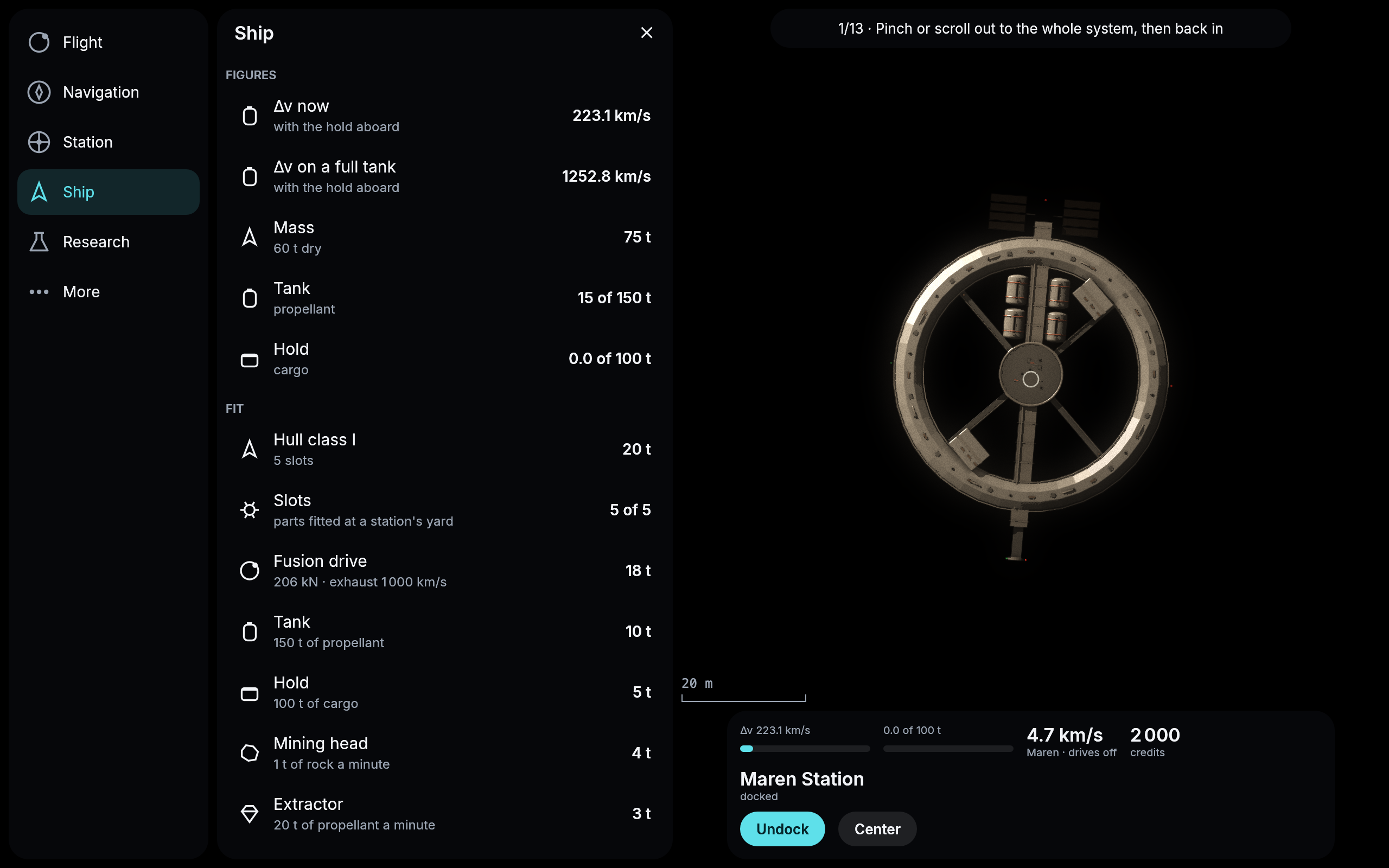
The start ship’s parts, each with what it gives.
A way that left while you read it
Time in the game runs a thousand times as fast as yours. A way that “leaves now” had in fact left a second or two before you saw it, and every second you spent reading it was about seventeen minutes of the flight: pressed late, your ship jumped ahead along its course as if it had already flown that far. Now a way that has left when you press is planned once more, from where your ship will be by the time the plan is ready, and flown from there. The card says planning it again from here… for that moment, and the fresh way leaves a few seconds later.
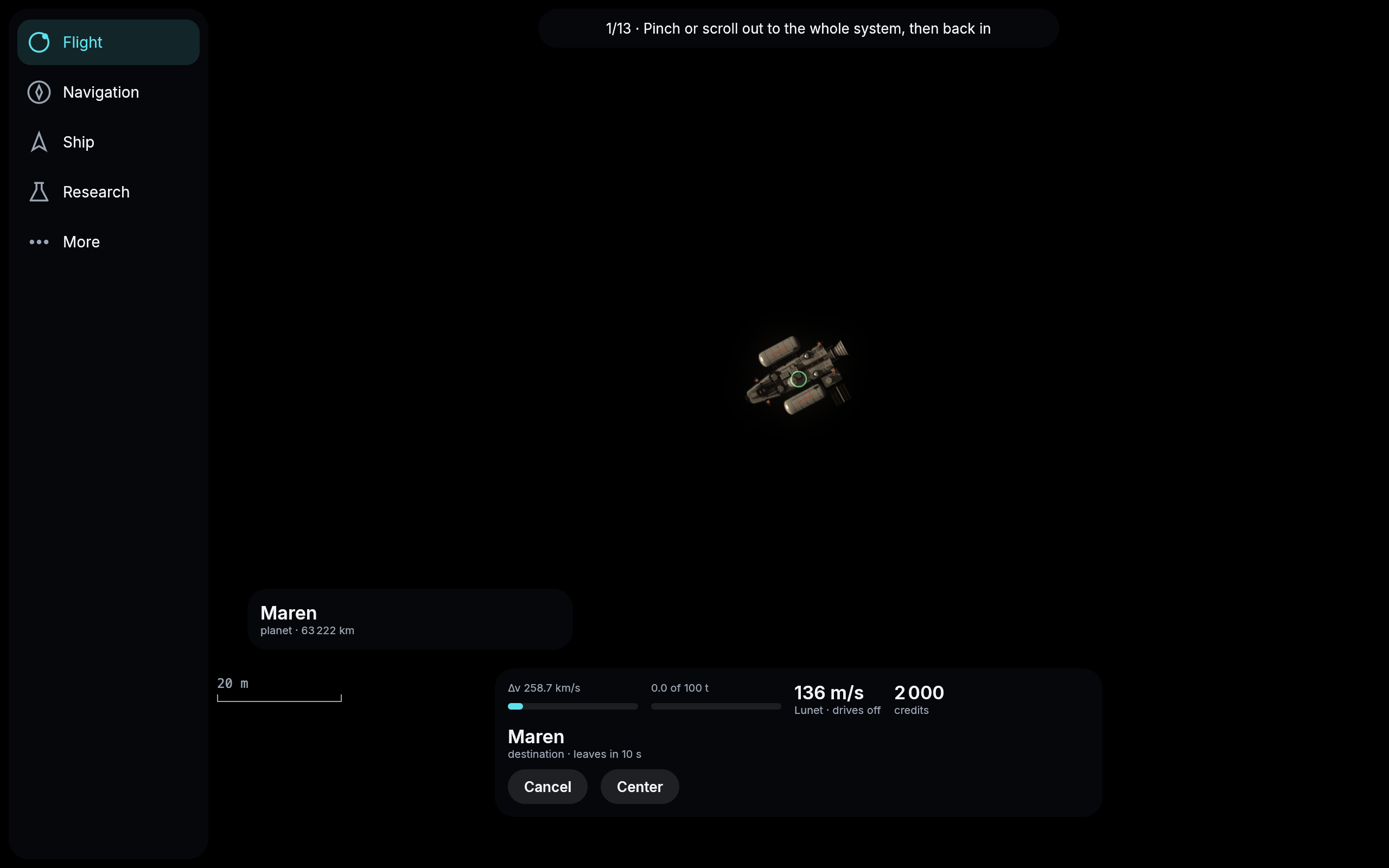
Flown after it had left, the way to Maren was planned again and leaves in ten seconds, from where the ship is.
Traders between Maren and Pelagia
The start system has traffic now. The authority flies twelve traders of its own between Maren Station and Pelagia Station. They are on the map in white like any other ship, and you pass them on the way out to Pelagia.
They trade for real. At each station a trader sells what it brought and buys whatever the other station pays at least twice as much for, at the same market you use. Most of the time that is water for Pelagia, so Pelagia pays less for water while they deliver and more again once they stop. A trader takes the cheapest way, so it waits inside its station until the planets line up for it. The traders that waited for the same moment leave within a minute or two of each other and cross as a small convoy, half an hour to an hour from one planet to the other.
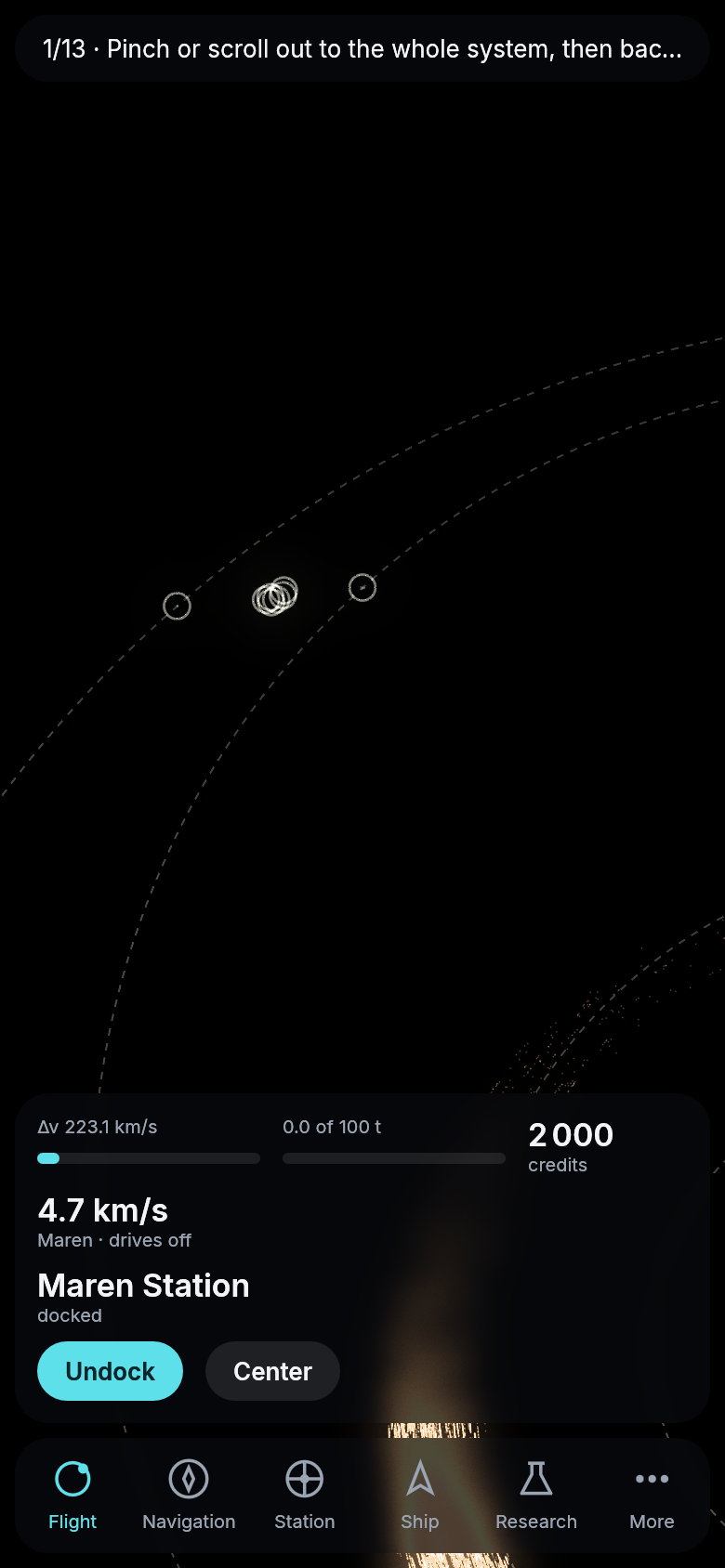
Maren Station on the right, Pelagia Station on the left, and between them the traders that left both together, each white ring a ship.
The game on an iPhone
The game has run in a browser and in a window on a computer. Now the engine runs on an iPhone, for now in Apple’s simulator. It runs as an app of its own, not a web page, as was decided for the phone test. The sky fills the whole screen, under the notch and the home indicator. The status line, the card and the bar of sections stand clear of them. One finger moves the view and two pinch it. A field brings up the keyboard. When the app is sent to the background it stops drawing, and it carries on where it was when you come back. The game’s own client starts there unchanged.
Later the same evening it ran on a real iPhone, an iPhone 15 Pro, with the Supergalactic logo as its icon on the home screen, and at a hundred and twenty frames a second once the phone’s display was the one asking for each frame. When you type into a field, the sheet it is on now rises above the keyboard so you can see what you type, and the bar of sections stays below, under the keyboard, as on any phone app. On the newest iOS an app has to open in a “scene” of its own, which the window library the engine uses does not do yet, so the engine now does that part itself. The game’s own app, with sign-in and notifications, comes next.
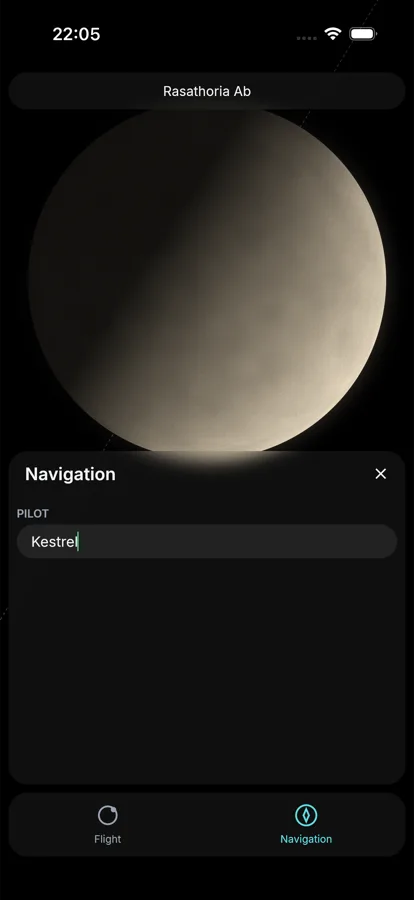
The engine’s phone example in the iOS Simulator: the status line under the clock, the sheet and the bar of sections above the home indicator, and a callsign typed in.
A miners’ station in Aquilon’s cloud
There is a third station now. Aquilon Station sits in the cloud of rocks that runs ahead of Aquilon, going round one of the larger rocks near its middle, so it swings back and forth with the cloud as the cloud does. It is the miners’ station, and you can dock there like at any other. Its market pays little for ore, about a fifth of what Maren Station pays, and sells water and propellant as cheaply as Maren does, so a tank can be filled right beside the rocks.
The authority’s miners work both of Aquilon’s clouds. Each has a mine of its own on a rock and a ship that hauls the ore to Aquilon Station and sells it there. Traders then carry that ore on to Maren and Pelagia. The miners leave the rocks the tutorial sends you to alone.
Freighters behave a little better too, yours included. The cheapest way out of a station often has to wait until the rocks and the station line up, and until now a freighter waited for that hovering over its station. Now it stays docked inside until its drive first burns.
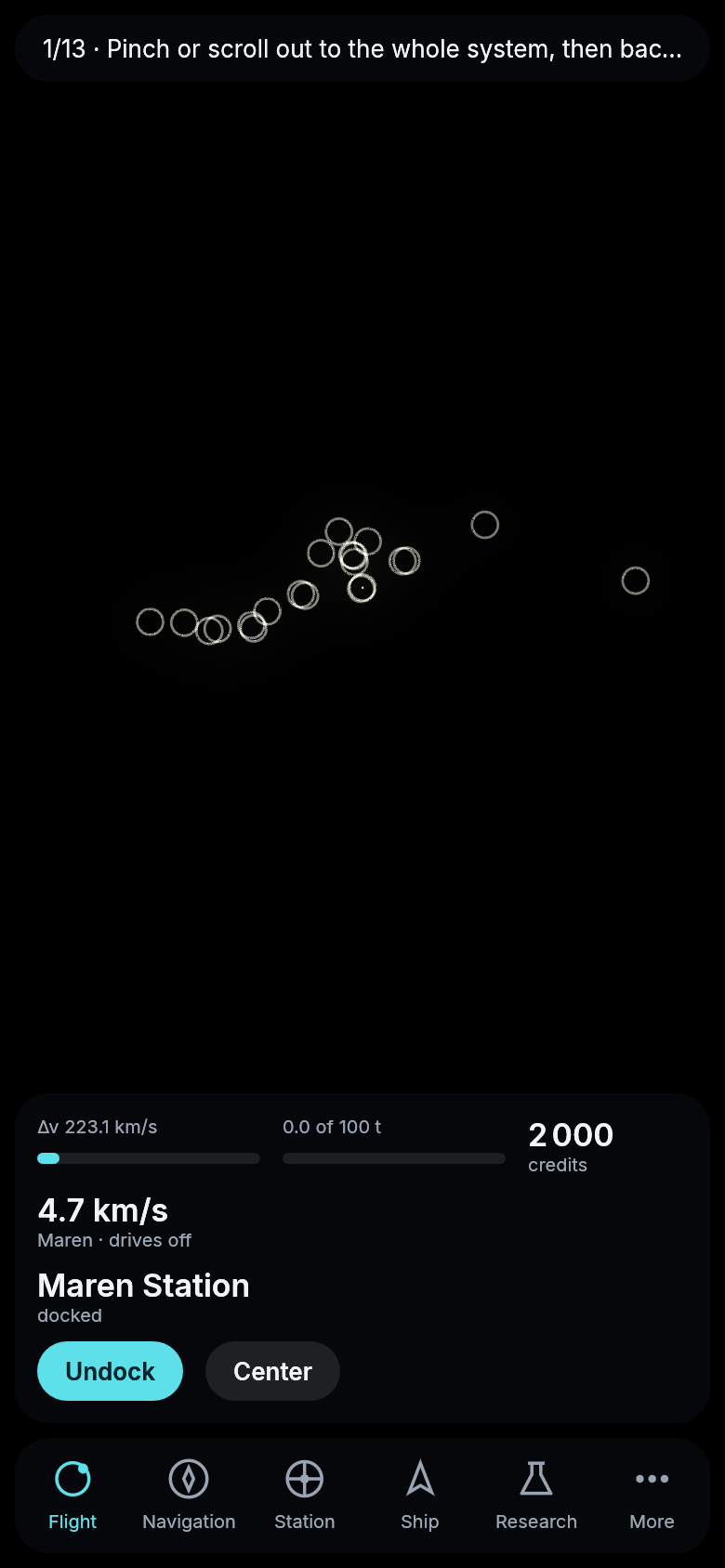
Aquilon Station in the middle of the knot, and round it in Aquilon’s leading cloud the miners’ mines and the ships coming and going, each white ring one of them.
Ships of their own for the traders and miners
The authority’s ships no longer look like yours. Its traders fly four long, pale hulls with their holds in a row or in pods along the keel, and its miners four darker ones with their tanks gathered at the stern and their mining gear on deck or at the bow. Each ship keeps its own hull wherever you see it, so a convoy is four different ships and not four copies of one.
These hulls were chosen from a second round of sketches. In the game they are pale and dark for now. The white and blue of the traders and the ochre and orange of the miners come once the engine can paint a ship in its own colors.
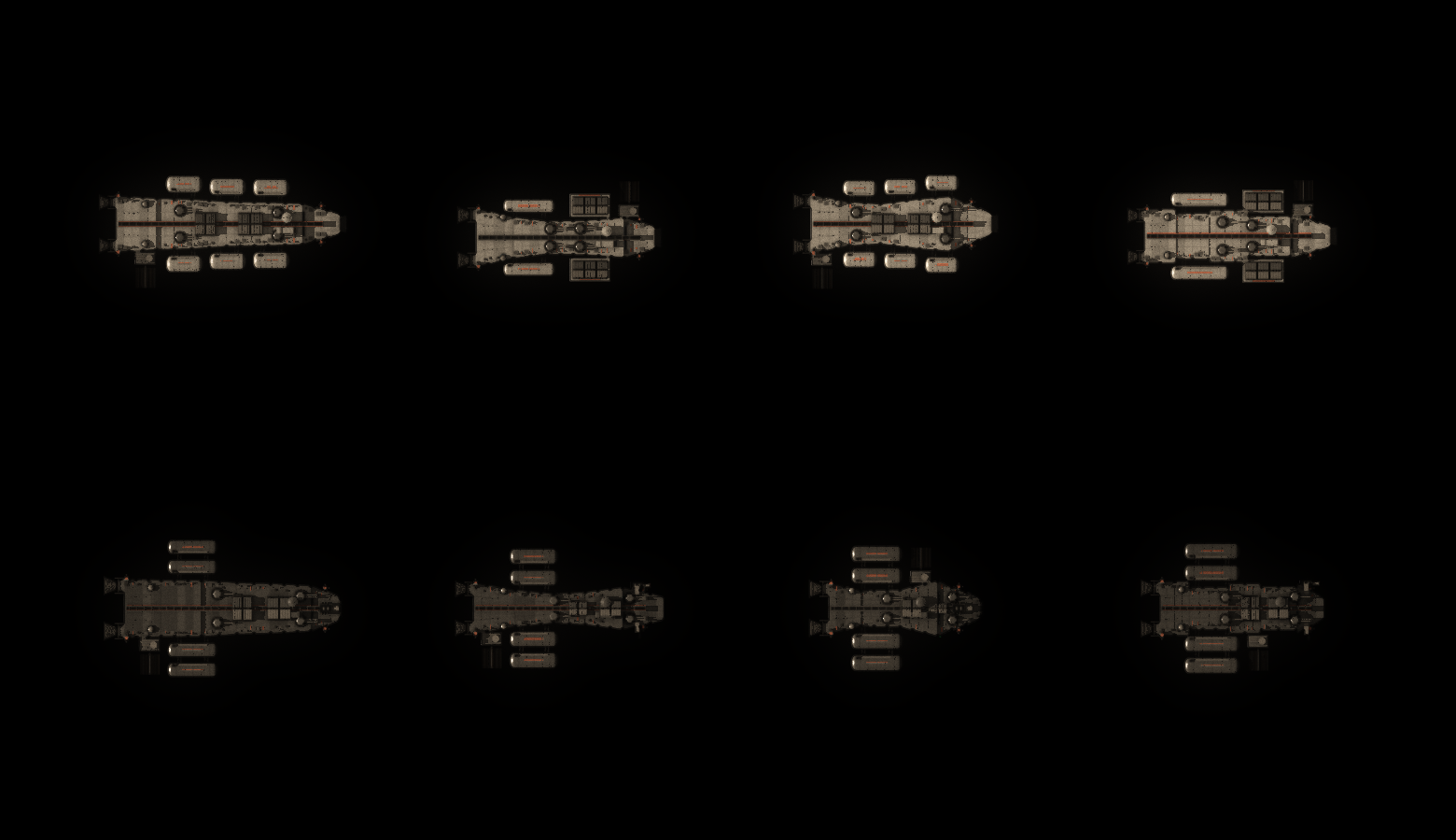
The authority’s four traders above and four miners below, drawn by the game’s own renderer from the hulls it flies, lit by Velara near Maren’s orbit.